Seedream 5.0 Pro
AI Image Generator & Editor
Generate images, edit selected regions, create infographics, and separate design layers — all from a text prompt.
✓ Free credits · ✓ Watermark-free exports · ✓ Commercial use allowed
Seedream 5.0 Pro AI Image Generator and Editor
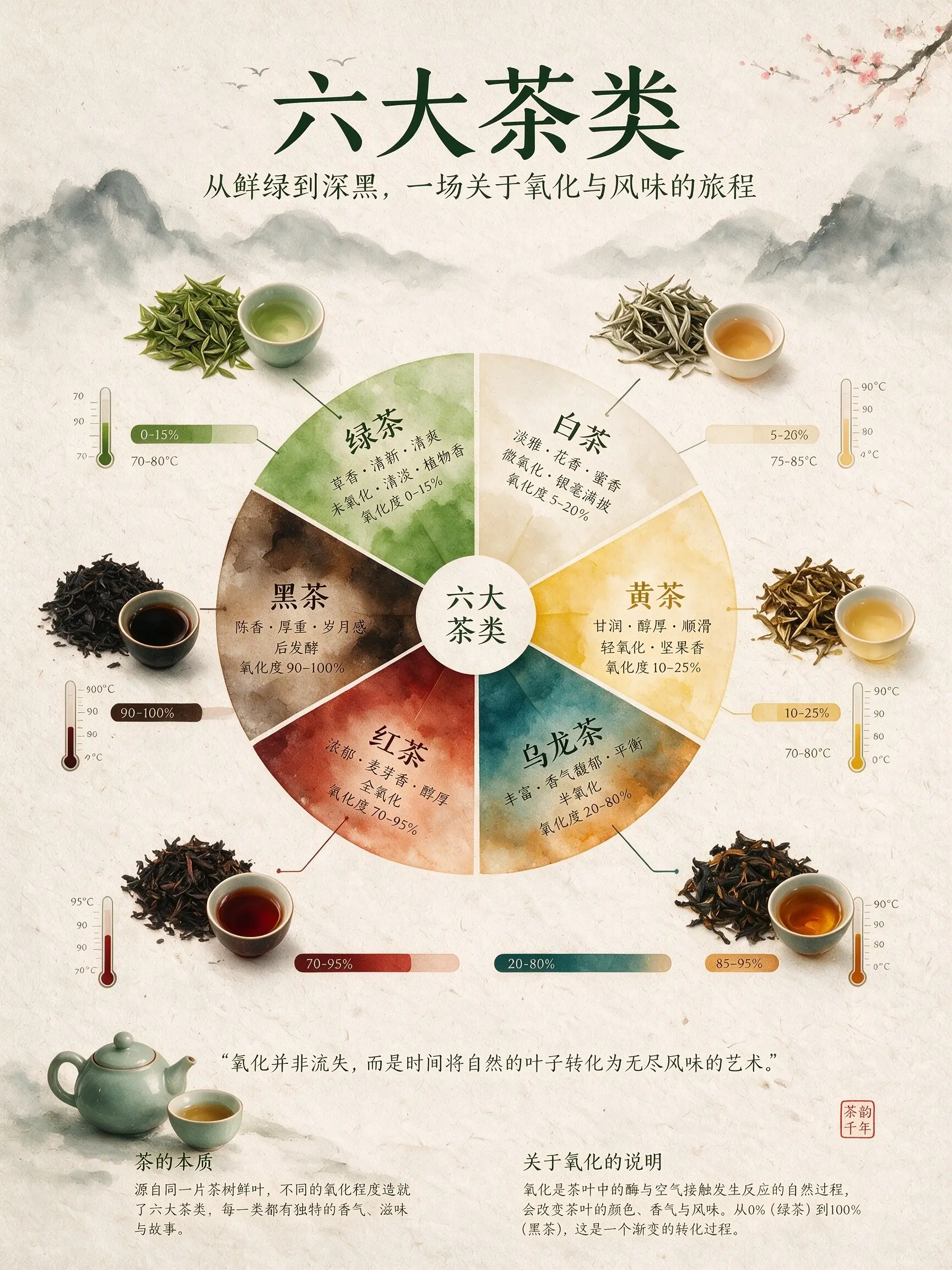
An infographic explaining the six major types of tea. The central focal point is a flavor wheel chart made of delicate watercolor gradients. Around the wheel are top-down images of tea leaves, showing different oxidation states. Connecting lines link the tea leaves to oxidation percentage bar charts and brewing temperature thermometers. The background is textured handmade rice paper. The overall layout is minimalist, zen-like, refined, and well-balanced.
Seedream 5.0 Pro AI Image Examples
Real images generated with Seedream 5.0 Pro — infographics, precise product edits, layered designs, and multi-reference composites. Tap any prompt to try it yourself.
An infographic explaining the six major types of tea. The central focal point is a flavor wheel chart made of delicate watercolor gradients. Around the wheel are top-down images of tea leaves, showing different oxidation states. Connecting lines link the tea leaves to oxidation percentage bar charts and brewing temperature thermometers. The background is textured handmade rice paper. The overall layout is minimalist, zen-like, refined, and well-balanced.
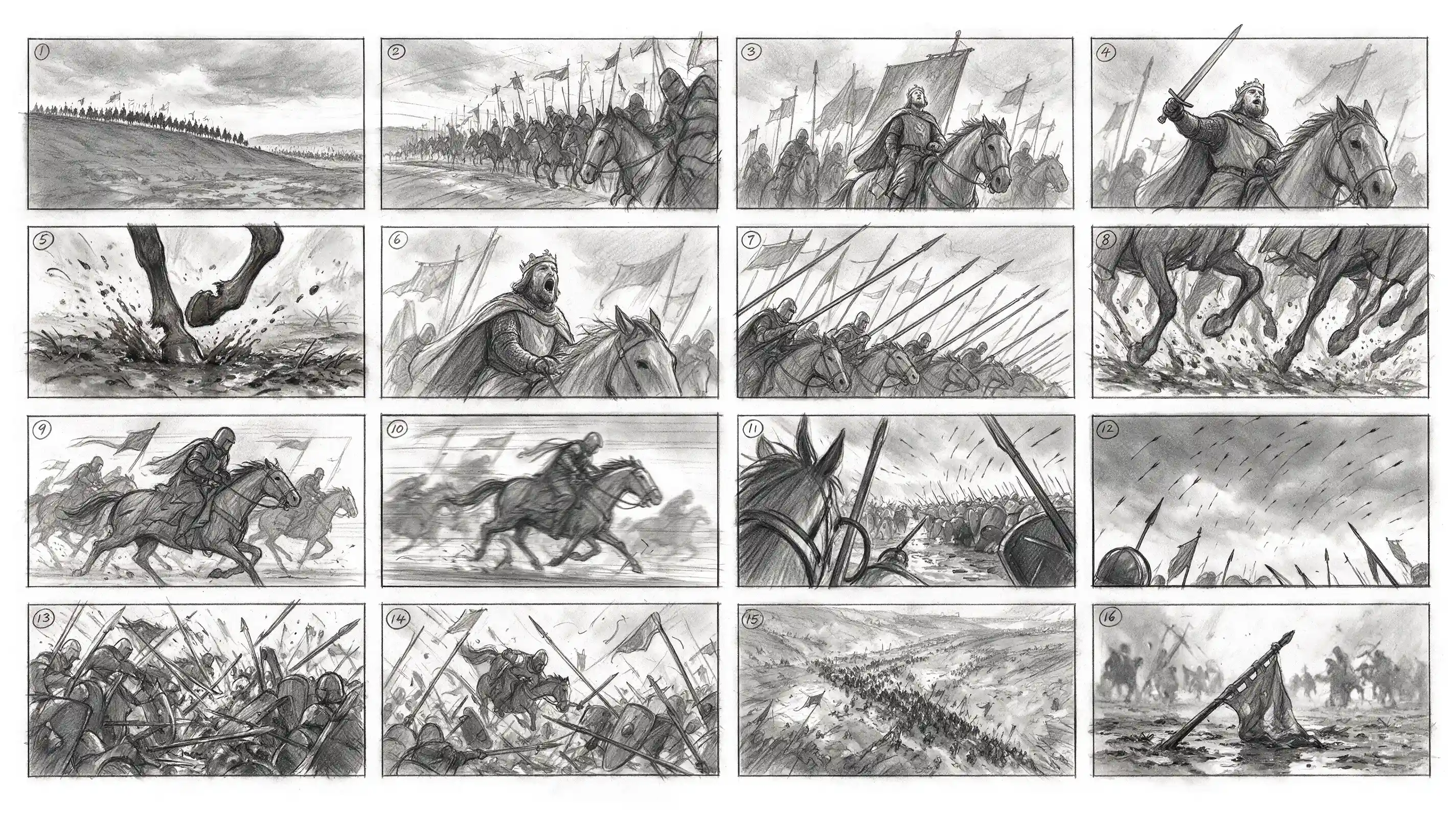
Generate a 4x4 cinematic storyboard with 16 separate panels in total. Each panel has a clear black border, arranged from left to right and top to bottom, with a small number 1–16 marked in the upper-left corner of each panel. The theme is a medieval cavalry charge. The overall style is a professional film-production storyboard sketch, drawn in graphite pencil, grayscale, and a director’s storyboard texture.
Separate this image into individual layers.
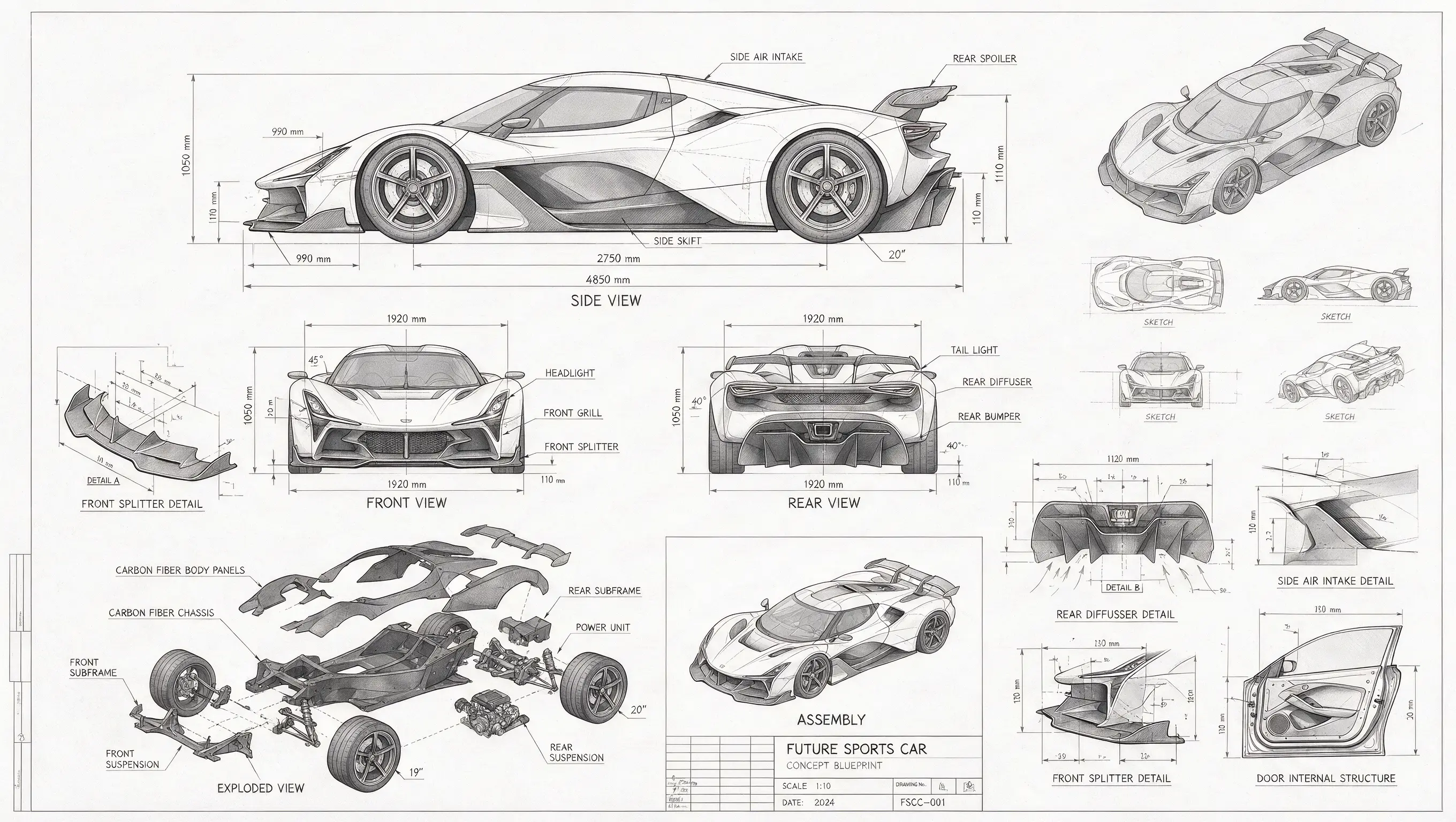
A technical drawing of a futuristic sports car in blueprint style. Include line drawings of the sports car from the front, side, and rear views, exploded parts sketches, parts assembly diagrams, and structural diagrams of disassembled components. Use abundant lines and measurement values to indicate the dimensions of each part, with grayscale tones expressing the overall sketch relationship. In addition to the main design, also show scattered thumbnails from different angles.

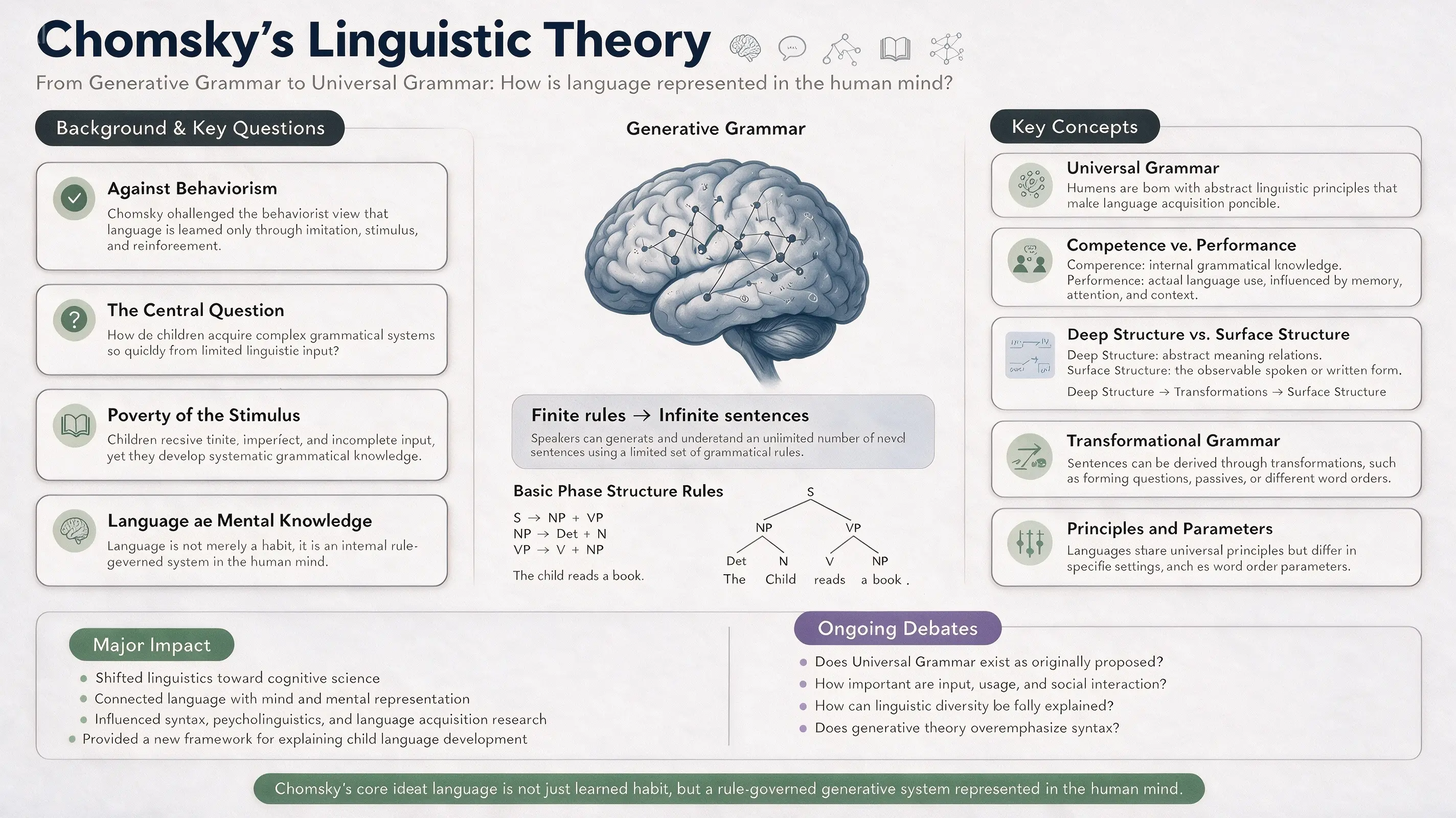
16:9 academic infographic poster for a linguistics classroom PPT, topic: “Chomsky’s Linguistic Theory.” Designed for linguistics students and university-level learners. Overall clean, modern, professional, and easy to understand. Color palette: white, deep navy blue, soft blue-gray, sage green, muted lavender, and charcoal gray. Clear section hierarchy, generous white space, readable typography, structured academic infographic layout.
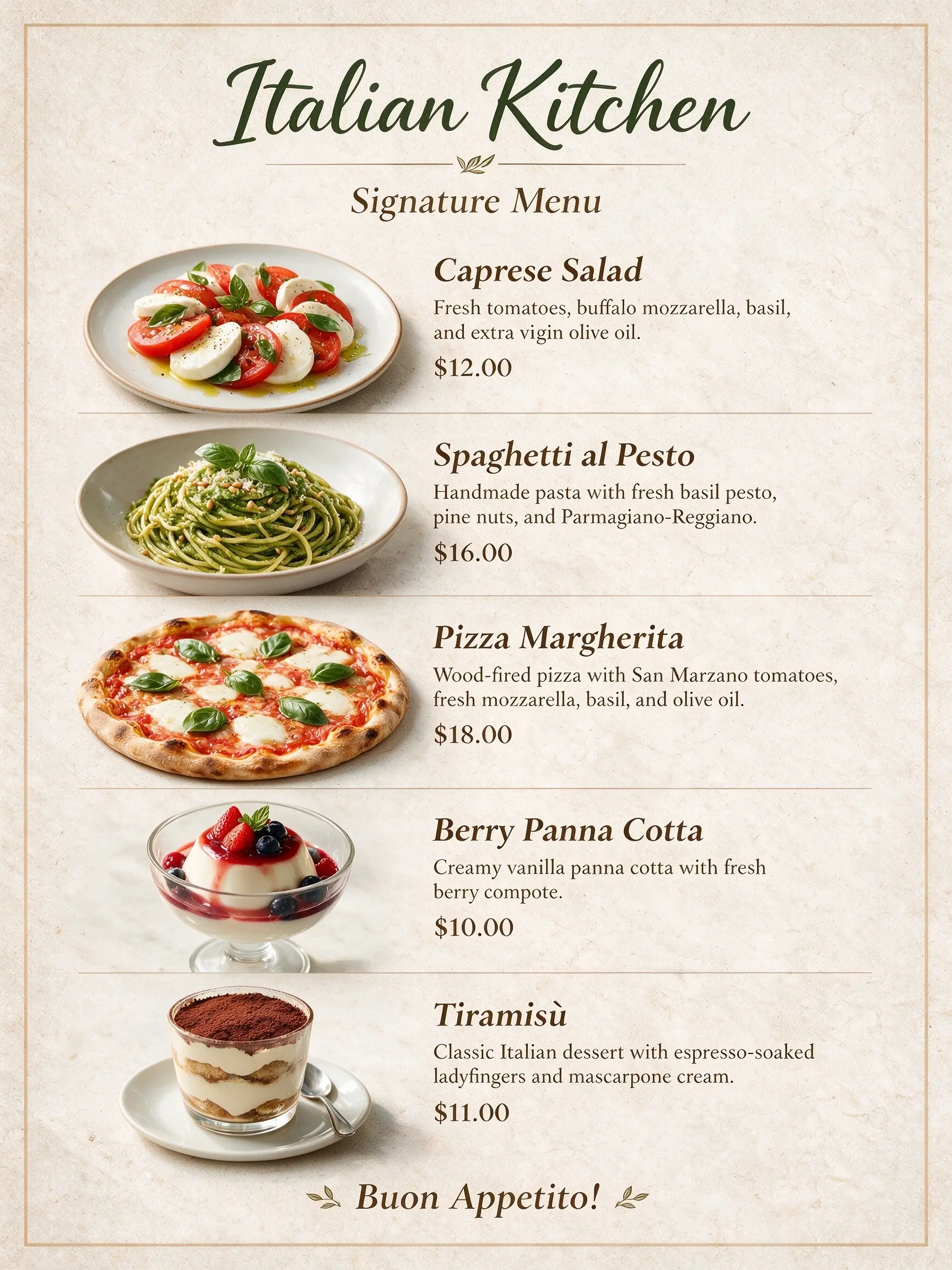
These dishes are the recommended dishes of our restaurant. Use them to create a menu. The restaurant name is “Italian Kitchen.”
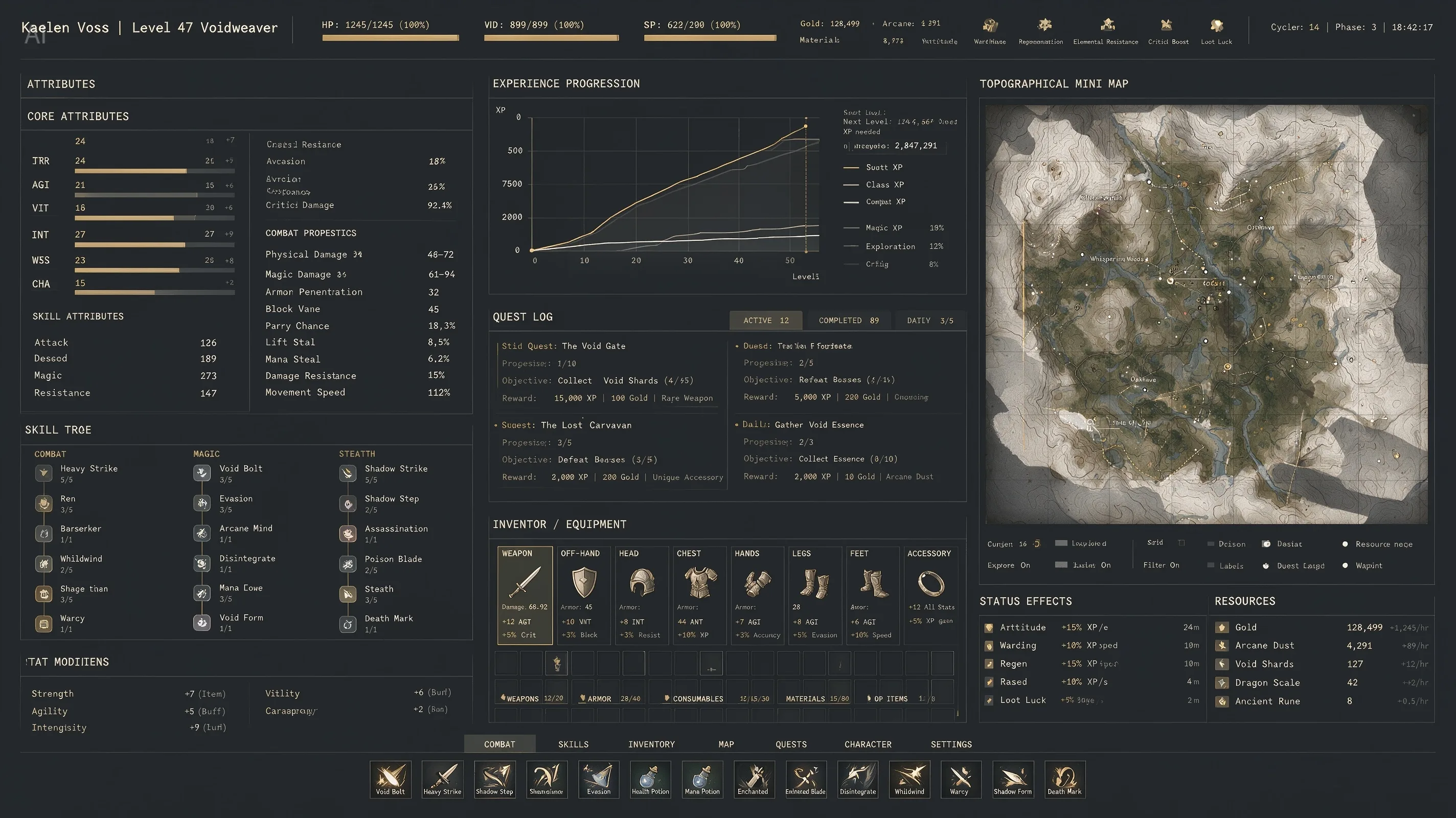
An extremely complex, highly information-dense RPG character interface. The image includes dense columns of character stats, complex line graphs for experience progression, and a massive topographical mini-map. Aesthetic style: high-end industrial functionalism. Deep matte slate-gray background. Crisp white monospaced fonts. Restrained color palette, using muted gold, with 1px grid lines separating all data. Extremely rich in detail.
16:9, a pet e-commerce homepage hero banner UI design with warm sunset tones. It features a top navigation header. On the left: a cream-beige background with marketing copy, a product card, and a golden-yellow capsule button. On the right: an image of a Golden Retriever with a 3D effect, where its front paw breaks out of the right frame and rests on the button.
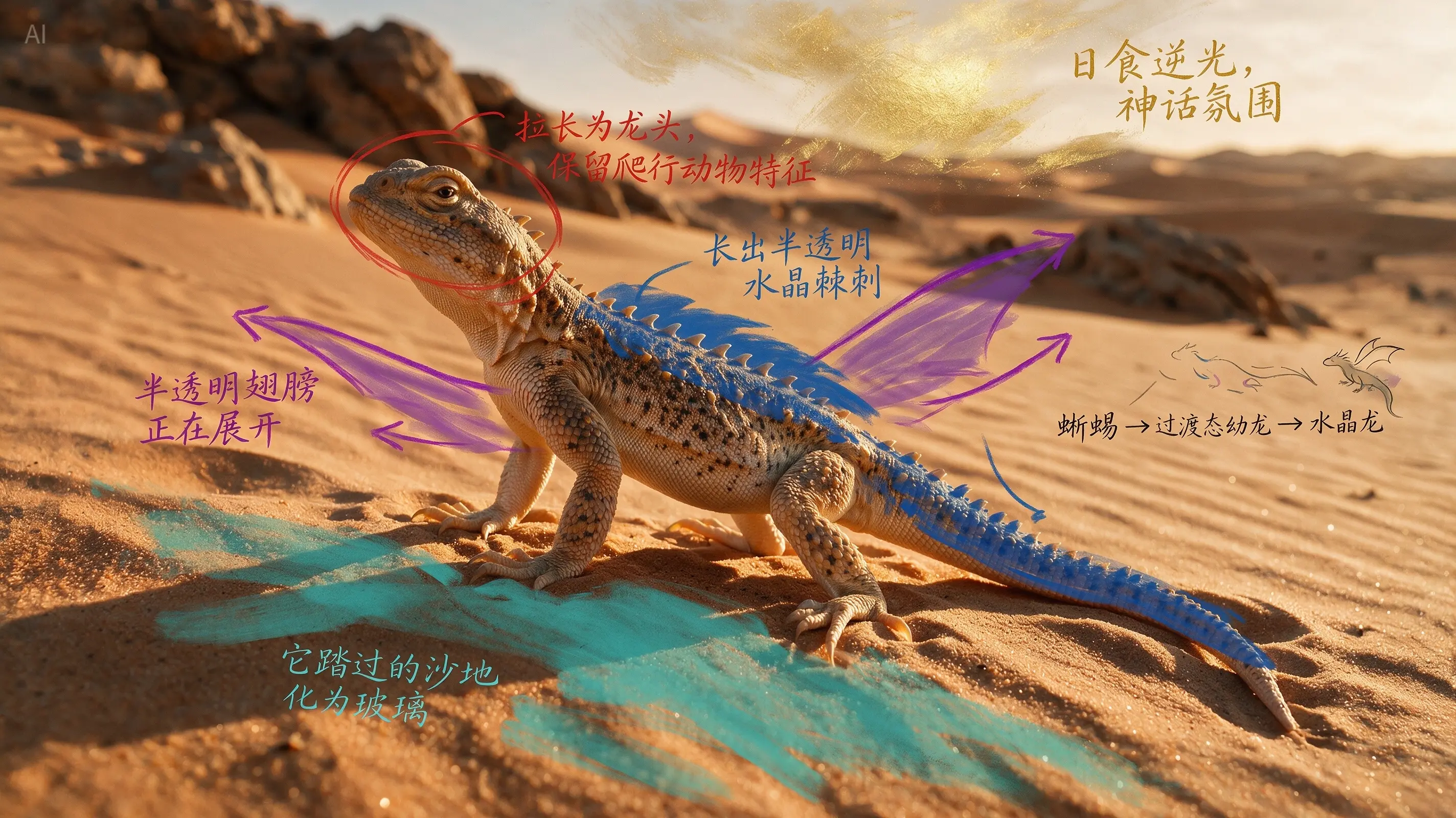
According to the annotations, evolve the real desert lizard into a crystal dragon while preserving the biological plausibility of its structure, output a cinematic image that seamlessly blends real photography with a fantasy creature.
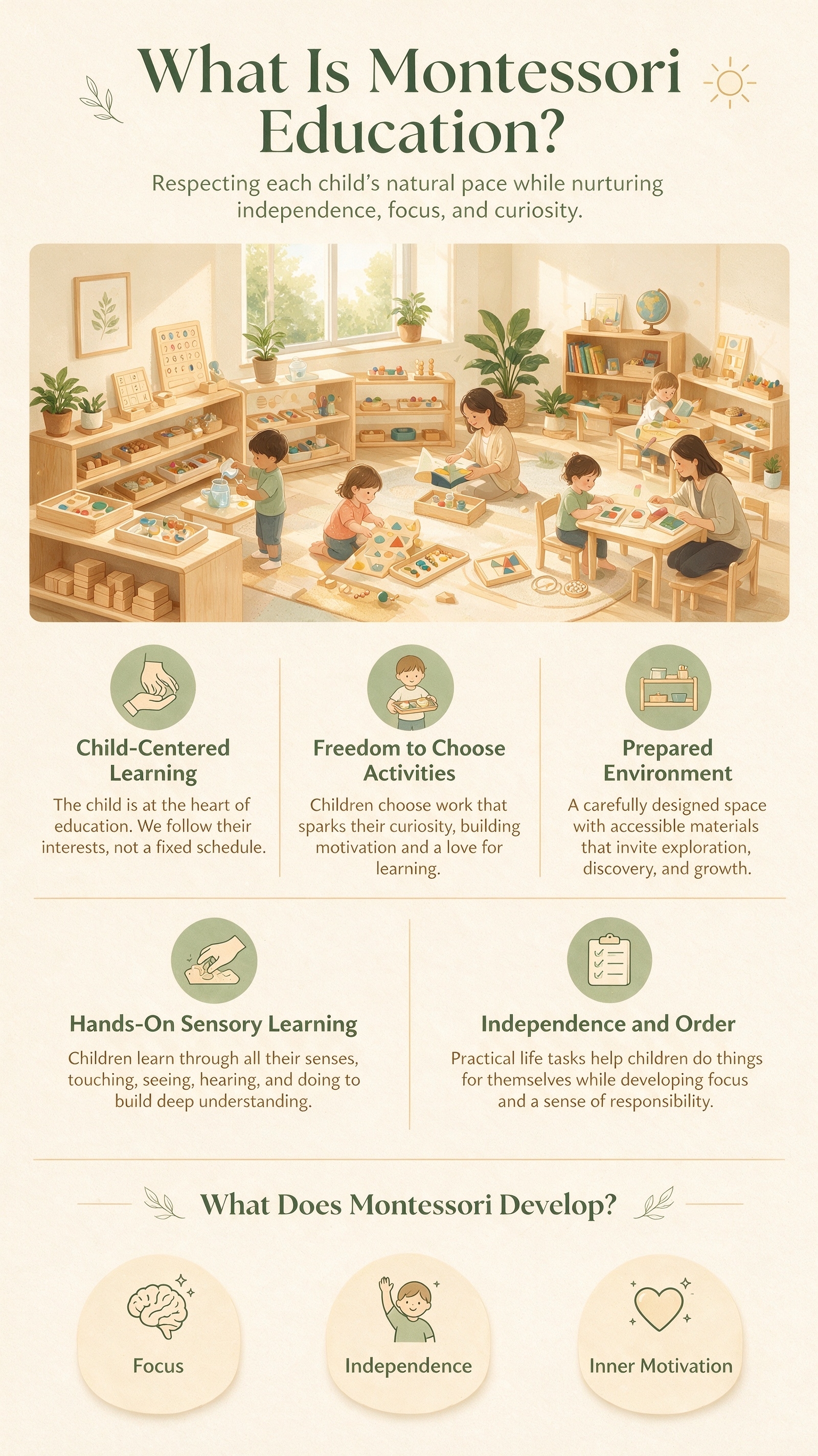
Vertical 9:16 educational infographic poster, topic: “What Is Montessori Education?”, designed for parents, warm, friendly, professional, and easy to understand. Soft color palette: warm ivory, light wood, sage green, and creamy yellow; clean white space, modern minimalist layout.
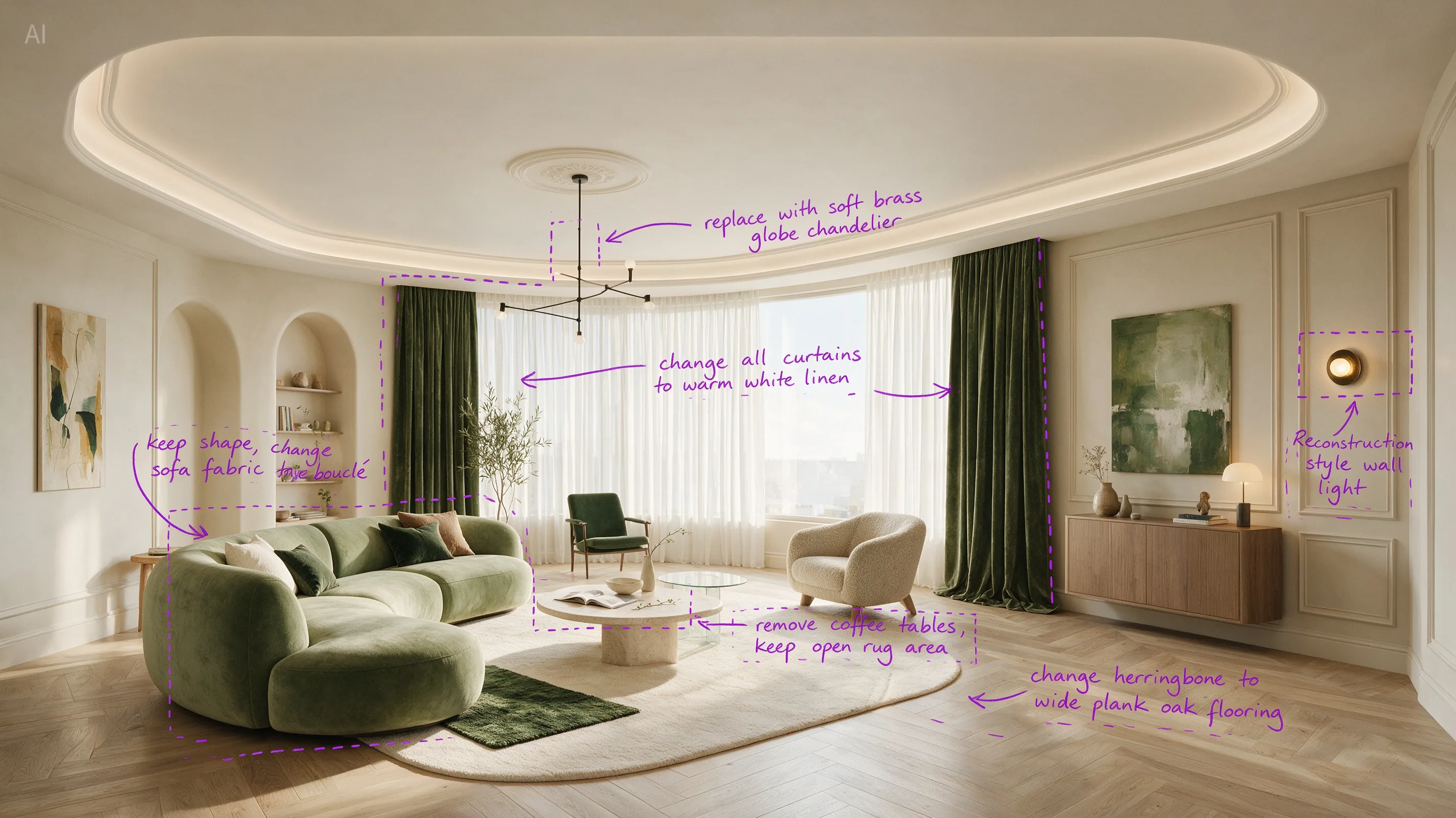
Perform precise edits based on the 6 purple boxes and handwritten English annotations in the original image. The goal is to make the living room warmer, lighter, and more realistic.
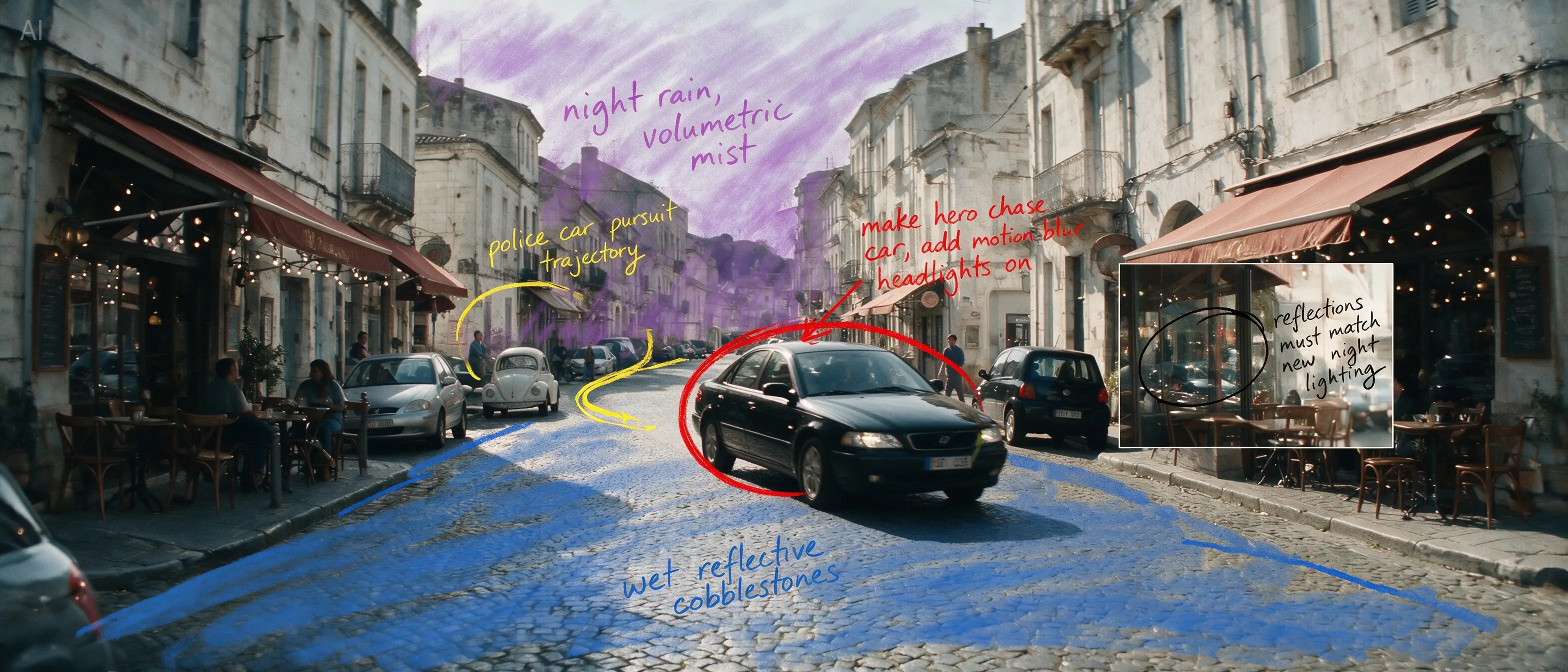
Based on all the annotations in the image, reconstruct the daytime European street into a cinematic rainy-night car chase scene. Turn the black sedan circled in red into the main high-speed chase vehicle, and output a clean cinematic widescreen still, ultra-realistic, strongly narrative, with consistent complex lighting.
Why Seedream 5.0 Pro Is Different
Seedream 5.0 Pro is built for design iteration, not just first-draft generation. Use it to create structured infographics, edit a selected region without touching the rest of the image, separate a design into editable layers, and combine multiple references into one composite.
What You Can Do With Seedream 5.0 Pro
Infographics & Data Visualization
For: Marketers, educators, content and social teams
Turn a pile of statistics, a process, or a comparison into one clean, readable graphic — without opening a design tool.
Example prompt
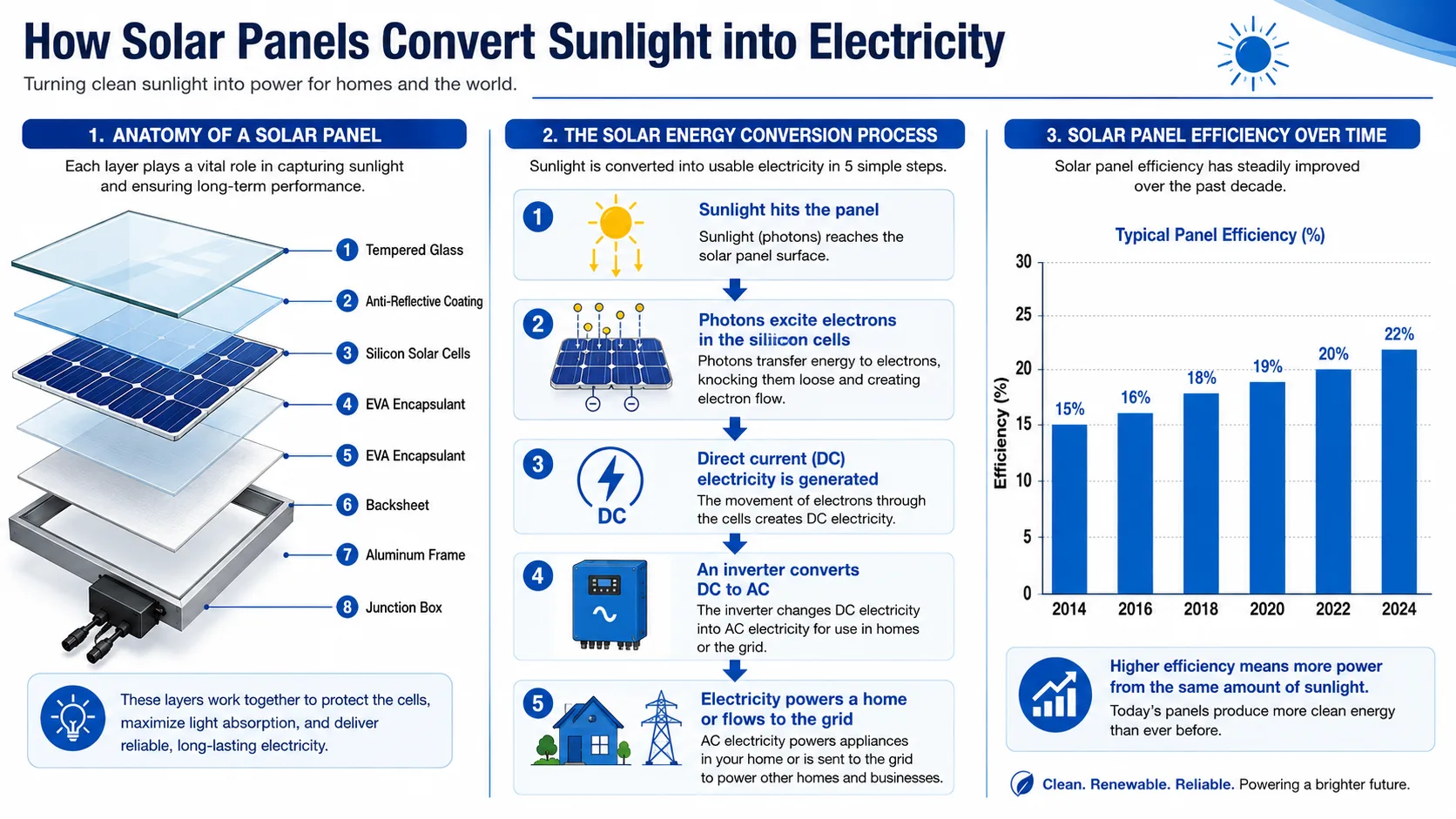
“A vertical infographic explaining how solar panels convert sunlight into electricity. Include a labeled diagram of the panel layers, a step-by-step process arrow chart, and a small bar chart comparing panel efficiency over the last decade. Clean, professional, blue-and-white color scheme, sans-serif fonts throughout.”
Precise, Targeted Editing
For: E-commerce sellers, ad creative teams, brand designers
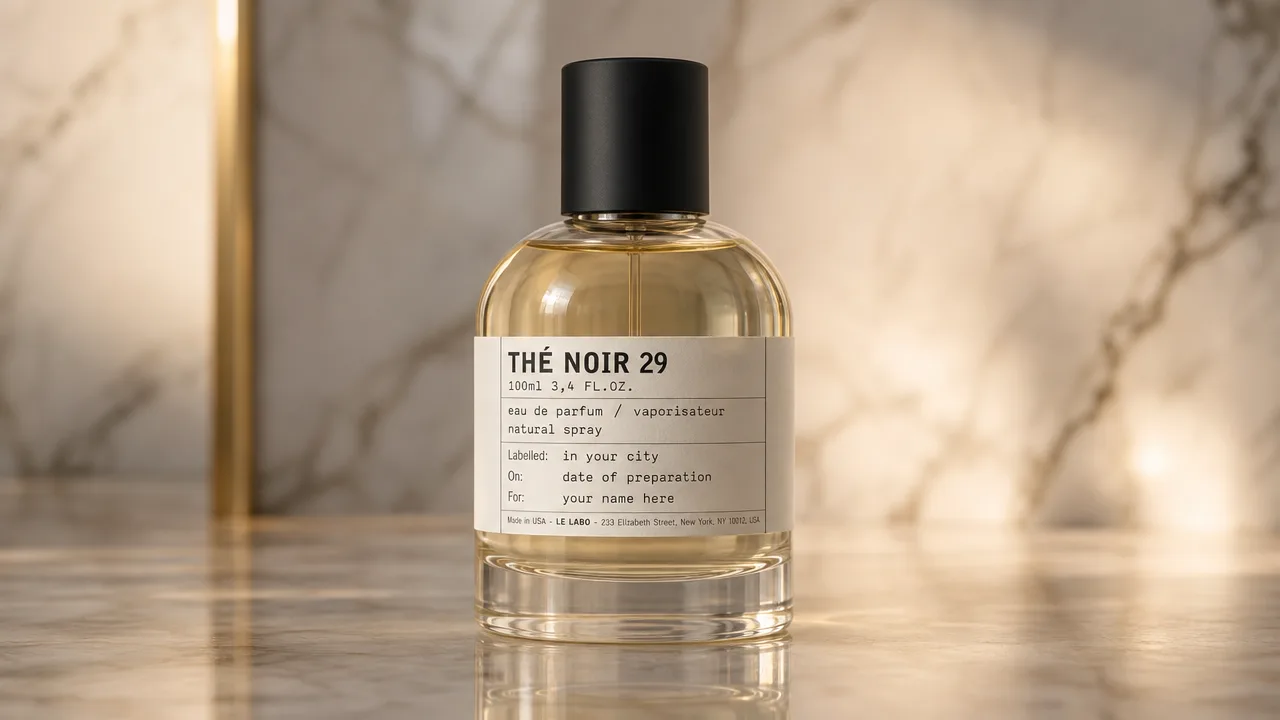
Change one thing — a color, a label, a background detail — without regenerating the whole image. Point to the region, describe the change, and the rest of the image stays untouched.
Example prompt
“Using the uploaded perfume photo, change only the bottle cap color from silver to matte black. Keep the lighting, reflections, and background exactly as they are.”
Layered, Editable Design Assets
For: Designers, agencies, in-house creative teams
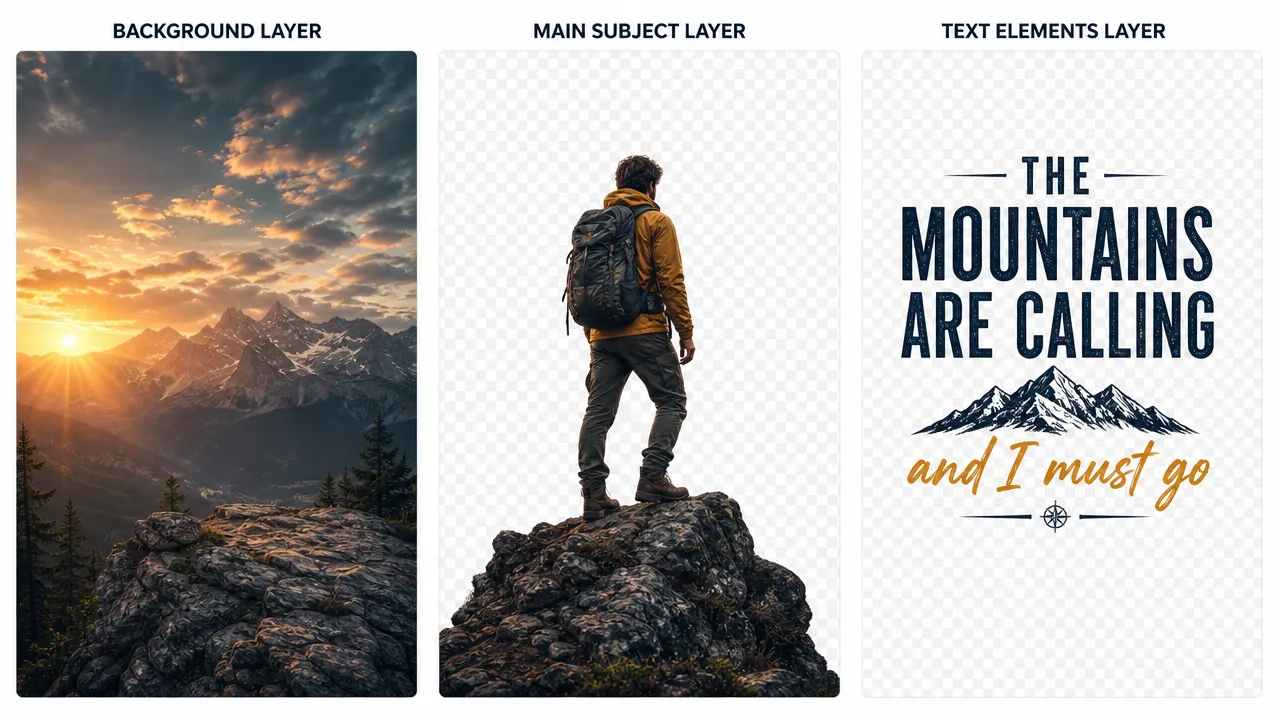
Get a finished poster or graphic back as separate layers — background, subject, text — so you can reposition, resize, or swap elements without starting over in another tool.
Example prompt
“Separate this poster into individual layers: background, main subject, and text elements. Keep each layer's transparency intact so they can be repositioned independently.”
Multi-Reference Compositing
For: Creative teams, mood-boarding, early-stage concept work
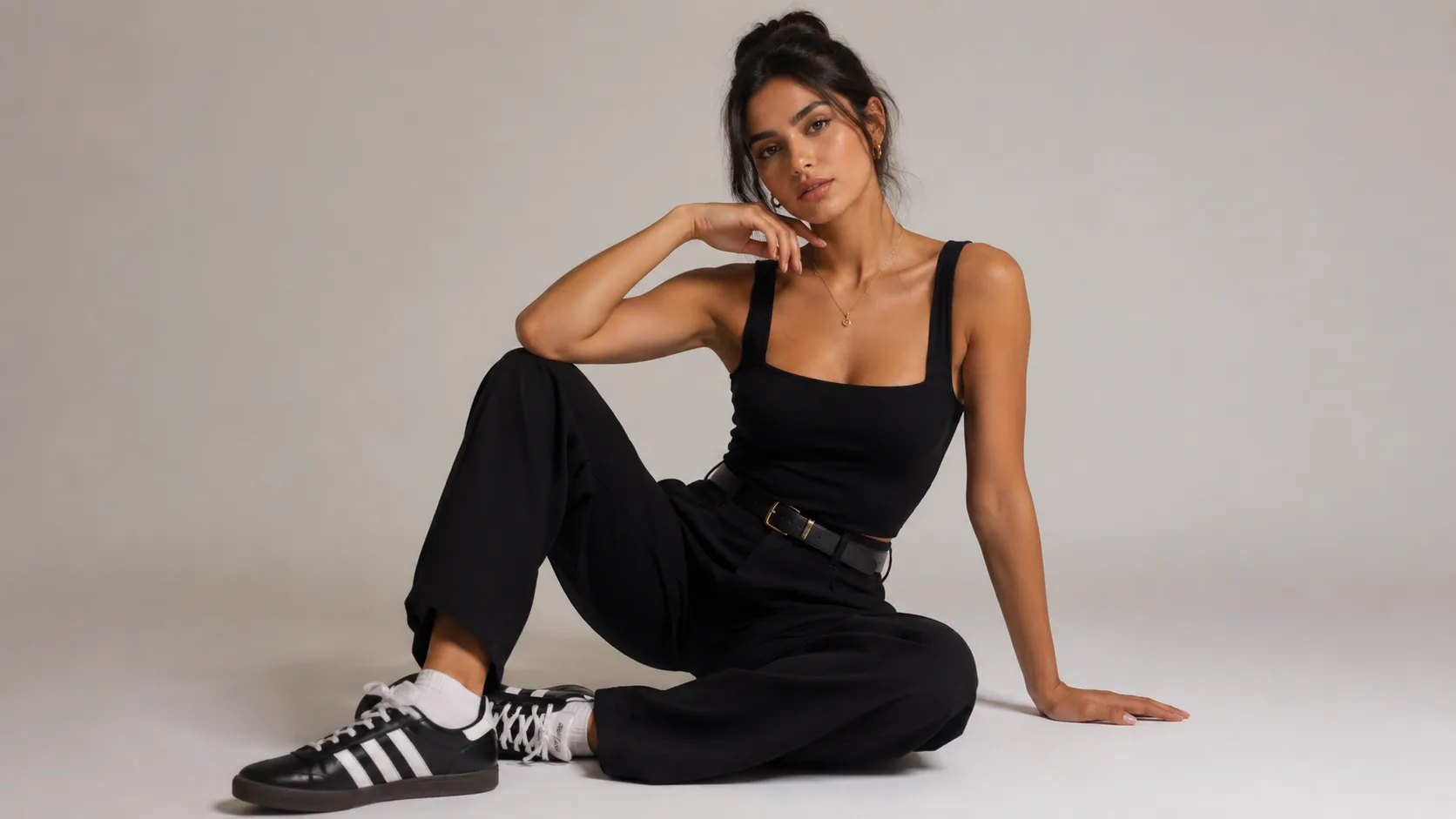
Combine elements from several reference images into one coherent scene — an outfit from one photo, a pose from another, a background from a third.
Example prompt
“Combine the outfit from reference image 1 with the pose from reference image 2, placed against the studio background from reference image 3. Blend lighting and shadows so the composite looks like a single photograph.”
Clean Still Frames for Video
For: Content creators building image-to-video workflows
Generate a stable, well-composed still first, then animate it — a strong starting frame makes for a stronger video.
Example prompt
“A cinematic close-up of a coffee cup on a wooden table, steam rising, warm morning light through a window. Stable, centered composition suitable for animating with a video generator.”

Seedream 5.0 Pro Capabilities
| Capability | What it does |
|---|---|
| Infographic generation | Turns data, text, and concepts into structured visual layouts in one pass |
| Grounded editing | Edits a selected region while preserving the rest of the image |
| Layer separation | Splits a generated image into independent, editable layers |
| Multi-reference fusion | Combines elements from multiple reference images into one composite |
| Multilingual text rendering | Generates and edits on-image text in multiple languages while preserving layout |
How to Use Seedream 5.0 Pro
Describe what you need
Write a prompt for a new image, or upload an existing one and describe the edit or layout you want.
Refine with follow-up instructions
Point to a specific area and describe a change, or ask for the image to be separated into layers — no need to start over.
Generate and download
Export your image or layered assets in HD, watermark-free on free credits, ready to use.
Limitations & Tips
Seedream 5.0 Pro is strong at layout, editing, and infographics, but like any AI image model it isn't perfect. A quick follow-up refinement pass usually closes the gap.
May need a refinement pass
- Very dense text blocks
- Fine interface-style details
- Consistency across multiple generations of the same character
For best results
- Keep on-image text concise
- Give clear layout instructions
- Use region editing to fix specific areas rather than regenerating the whole image