Générateur d'images IA
Seedream 5.0 Pro
Générez des images, retouchez des zones précises, créez des infographies et séparez les calques de vos designs — le tout à partir d'un simple prompt texte.
✓ Crédits gratuits · ✓ Exports sans filigrane · ✓ Usage commercial autorisé
Générateur et éditeur d'images IA Seedream 5.0 Pro
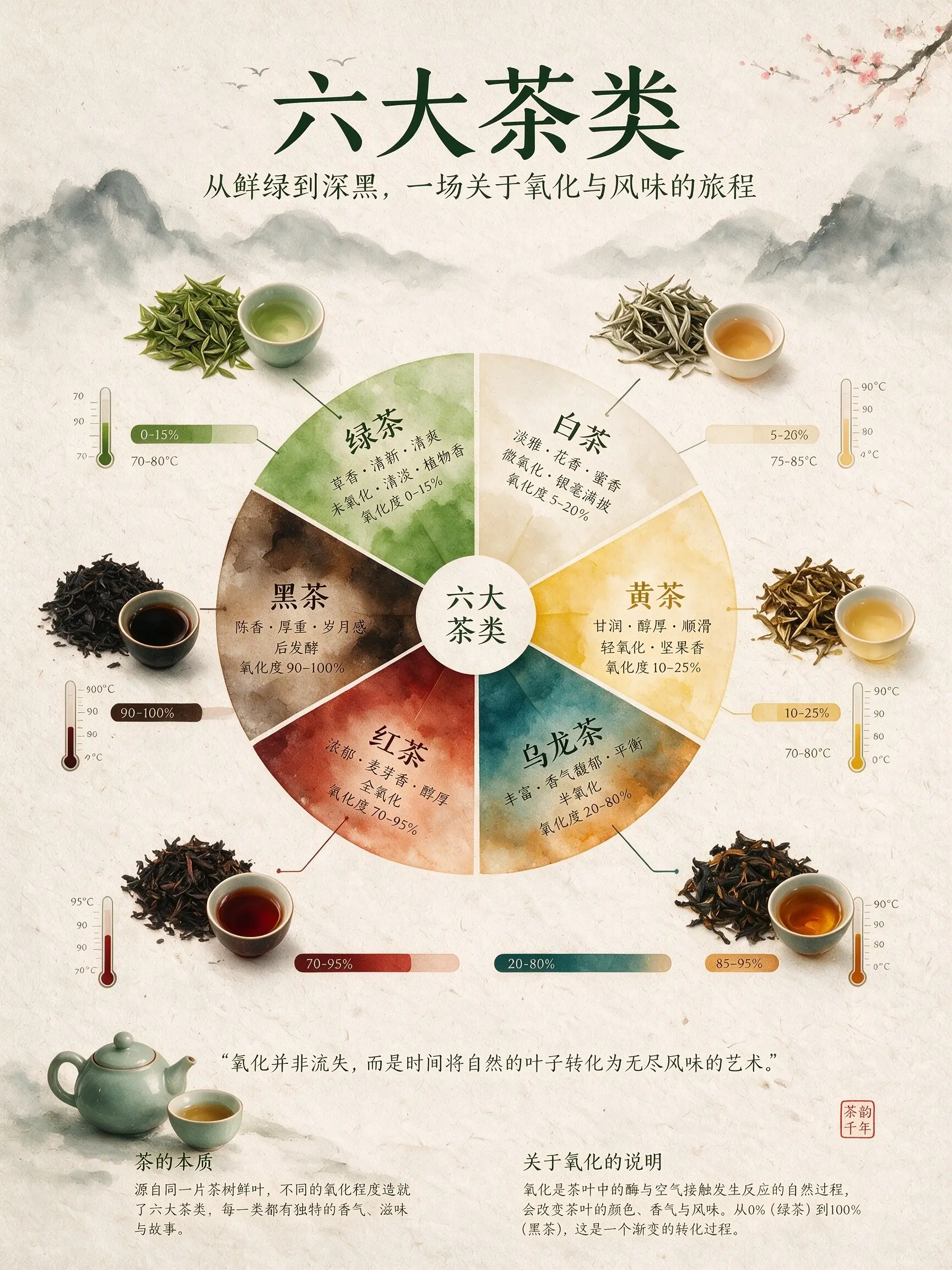
An infographic explaining the six major types of tea. The central focal point is a flavor wheel chart made of delicate watercolor gradients. Around the wheel are top-down images of tea leaves, showing different oxidation states. Connecting lines link the tea leaves to oxidation percentage bar charts and brewing temperature thermometers. The background is textured handmade rice paper. The overall layout is minimalist, zen-like, refined, and well-balanced.
Exemples d'images IA Seedream 5.0 Pro
De vraies images générées avec Seedream 5.0 Pro — infographies, retouches produit précises, designs en calques et compositions multi-références. Touchez un prompt pour l'essayer vous-même.
An infographic explaining the six major types of tea. The central focal point is a flavor wheel chart made of delicate watercolor gradients. Around the wheel are top-down images of tea leaves, showing different oxidation states. Connecting lines link the tea leaves to oxidation percentage bar charts and brewing temperature thermometers. The background is textured handmade rice paper. The overall layout is minimalist, zen-like, refined, and well-balanced.
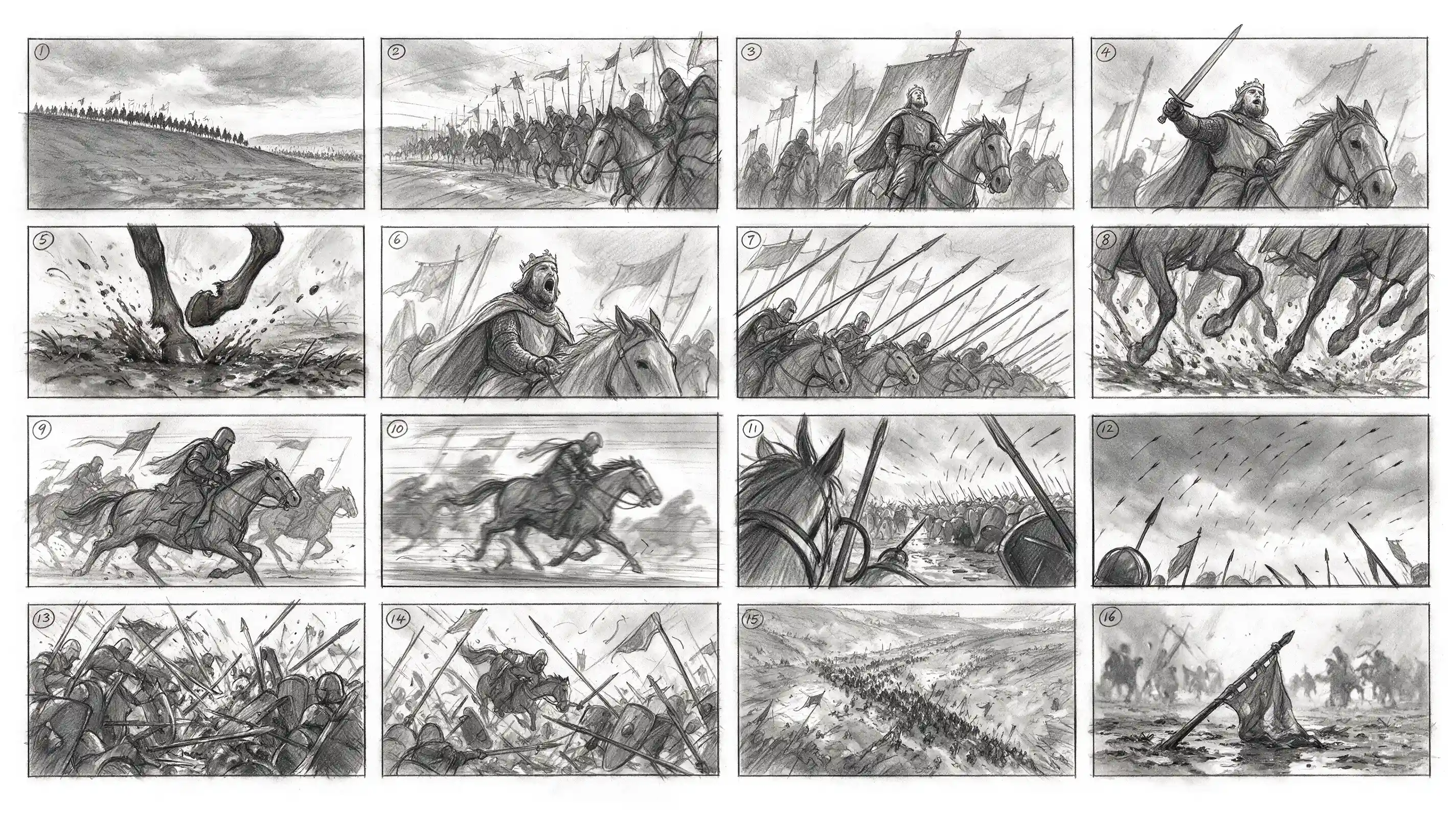
Generate a 4x4 cinematic storyboard with 16 separate panels in total. Each panel has a clear black border, arranged from left to right and top to bottom, with a small number 1–16 marked in the upper-left corner of each panel. The theme is a medieval cavalry charge. The overall style is a professional film-production storyboard sketch, drawn in graphite pencil, grayscale, and a director’s storyboard texture.
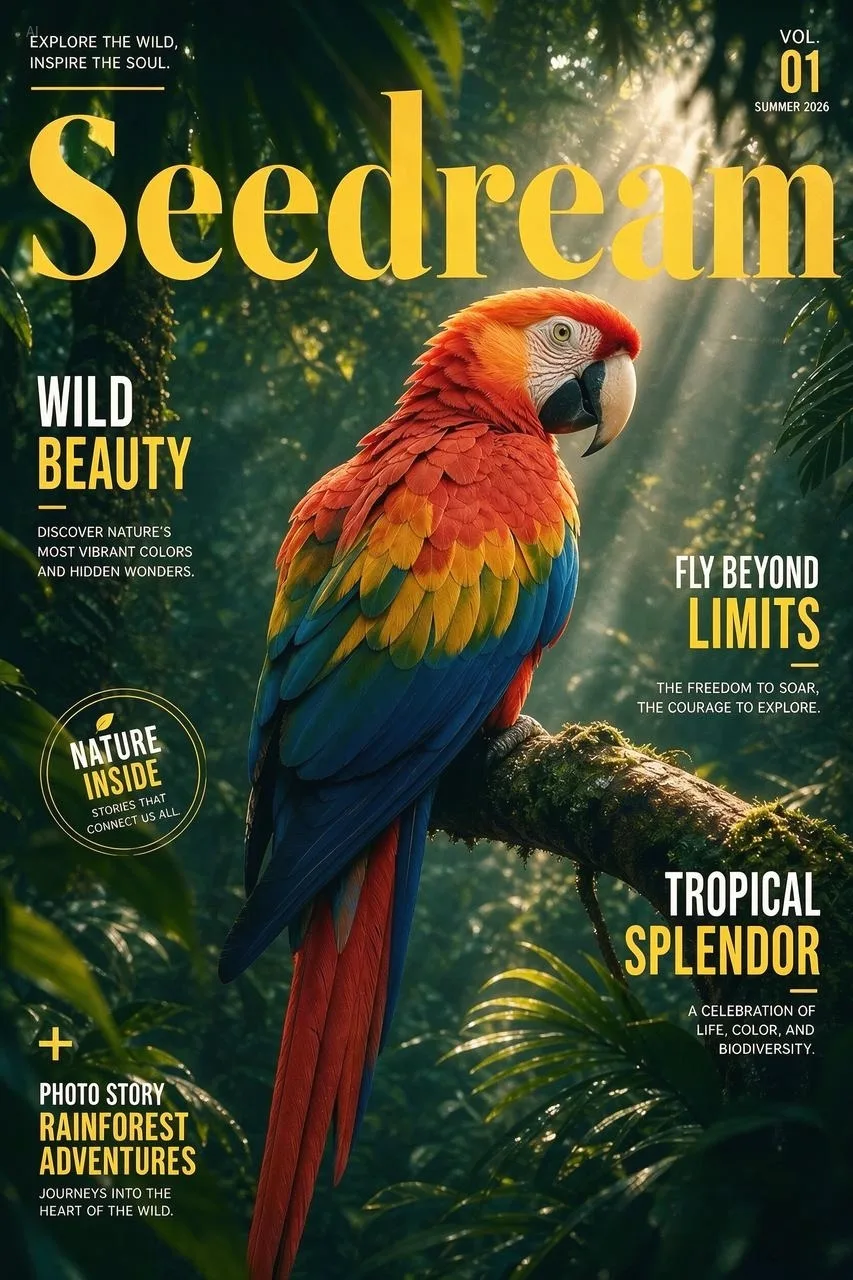
Separate this image into individual layers.
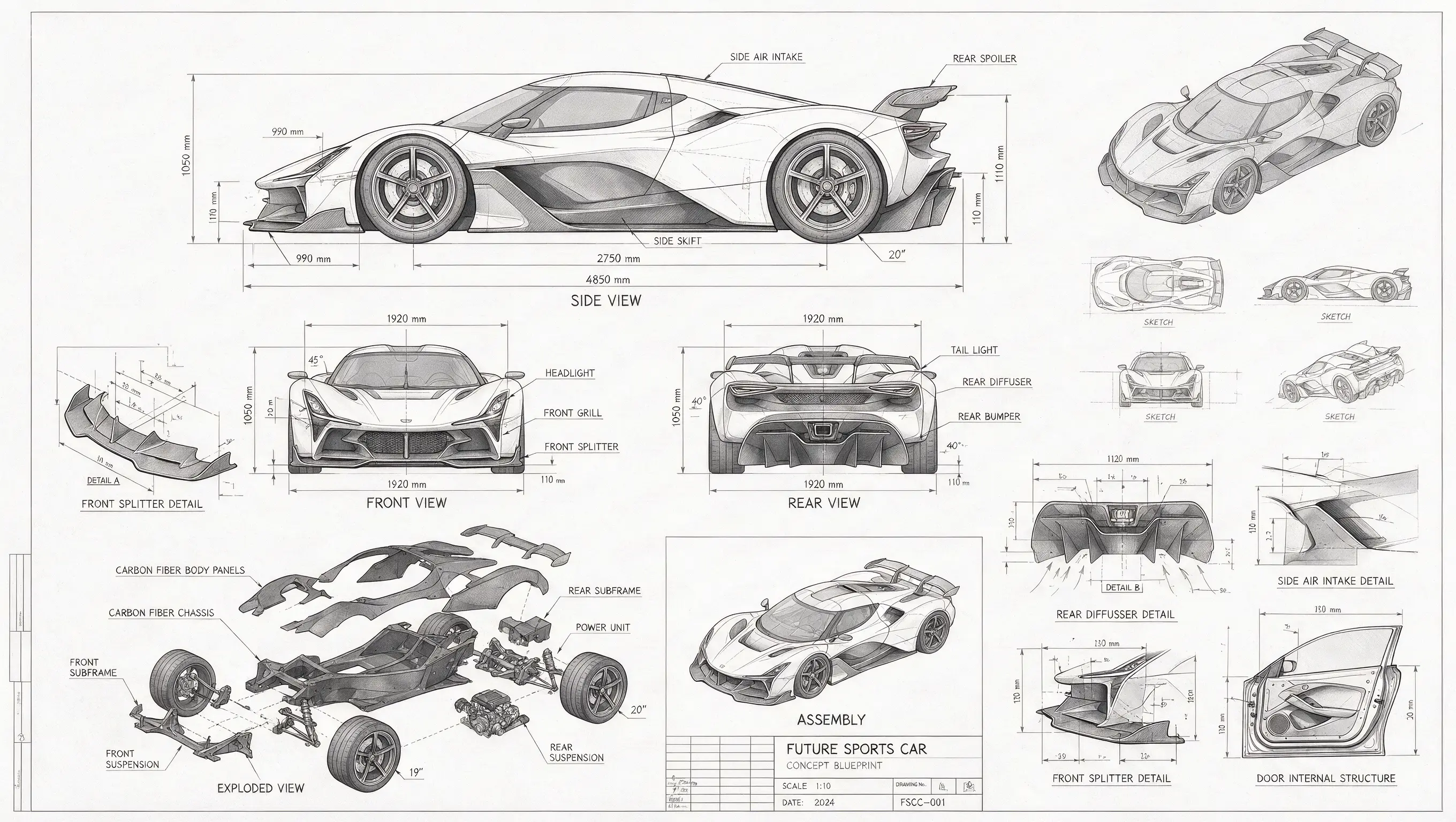
A technical drawing of a futuristic sports car in blueprint style. Include line drawings of the sports car from the front, side, and rear views, exploded parts sketches, parts assembly diagrams, and structural diagrams of disassembled components. Use abundant lines and measurement values to indicate the dimensions of each part, with grayscale tones expressing the overall sketch relationship. In addition to the main design, also show scattered thumbnails from different angles.

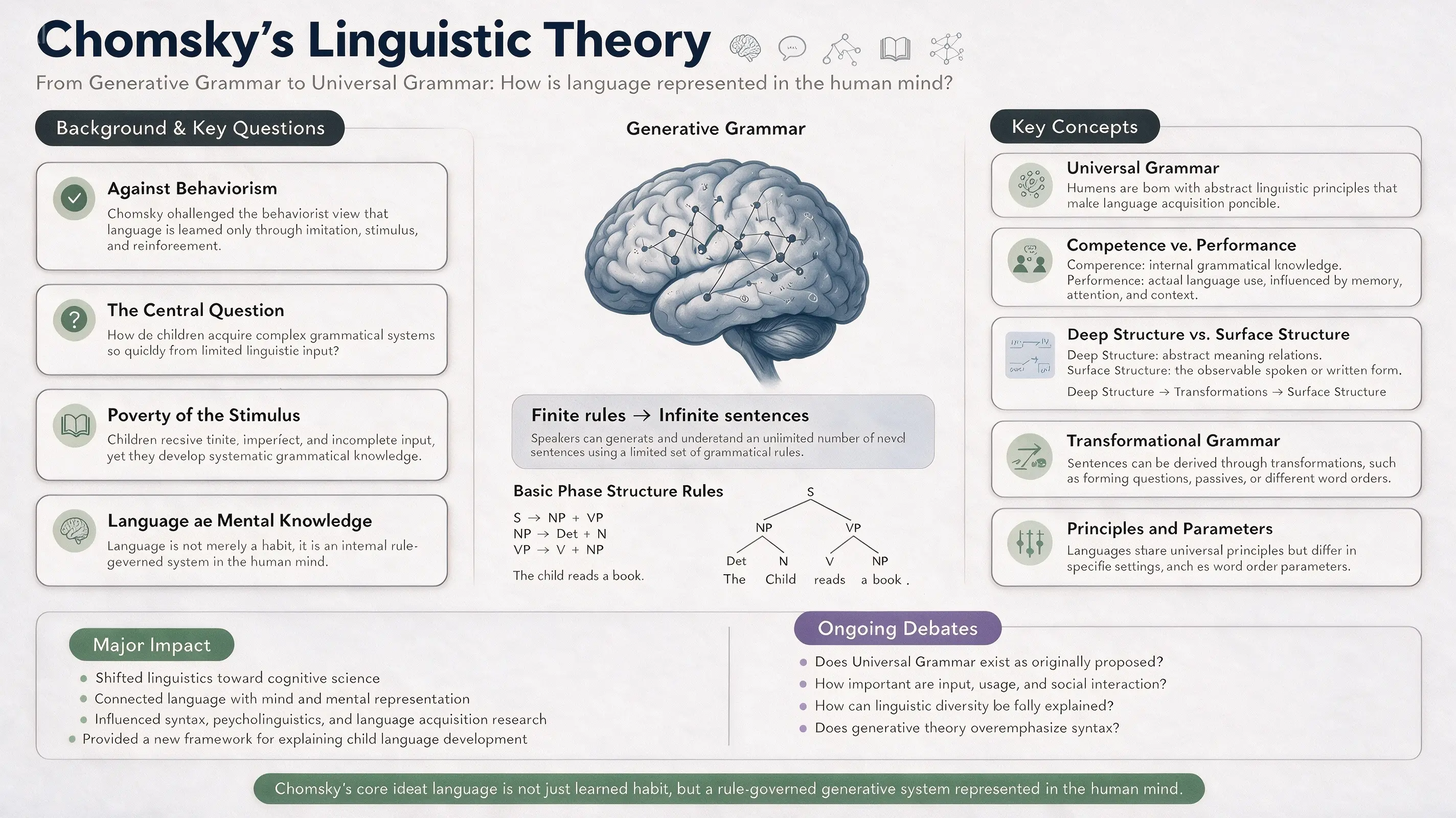
16:9 academic infographic poster for a linguistics classroom PPT, topic: “Chomsky’s Linguistic Theory.” Designed for linguistics students and university-level learners. Overall clean, modern, professional, and easy to understand. Color palette: white, deep navy blue, soft blue-gray, sage green, muted lavender, and charcoal gray. Clear section hierarchy, generous white space, readable typography, structured academic infographic layout.
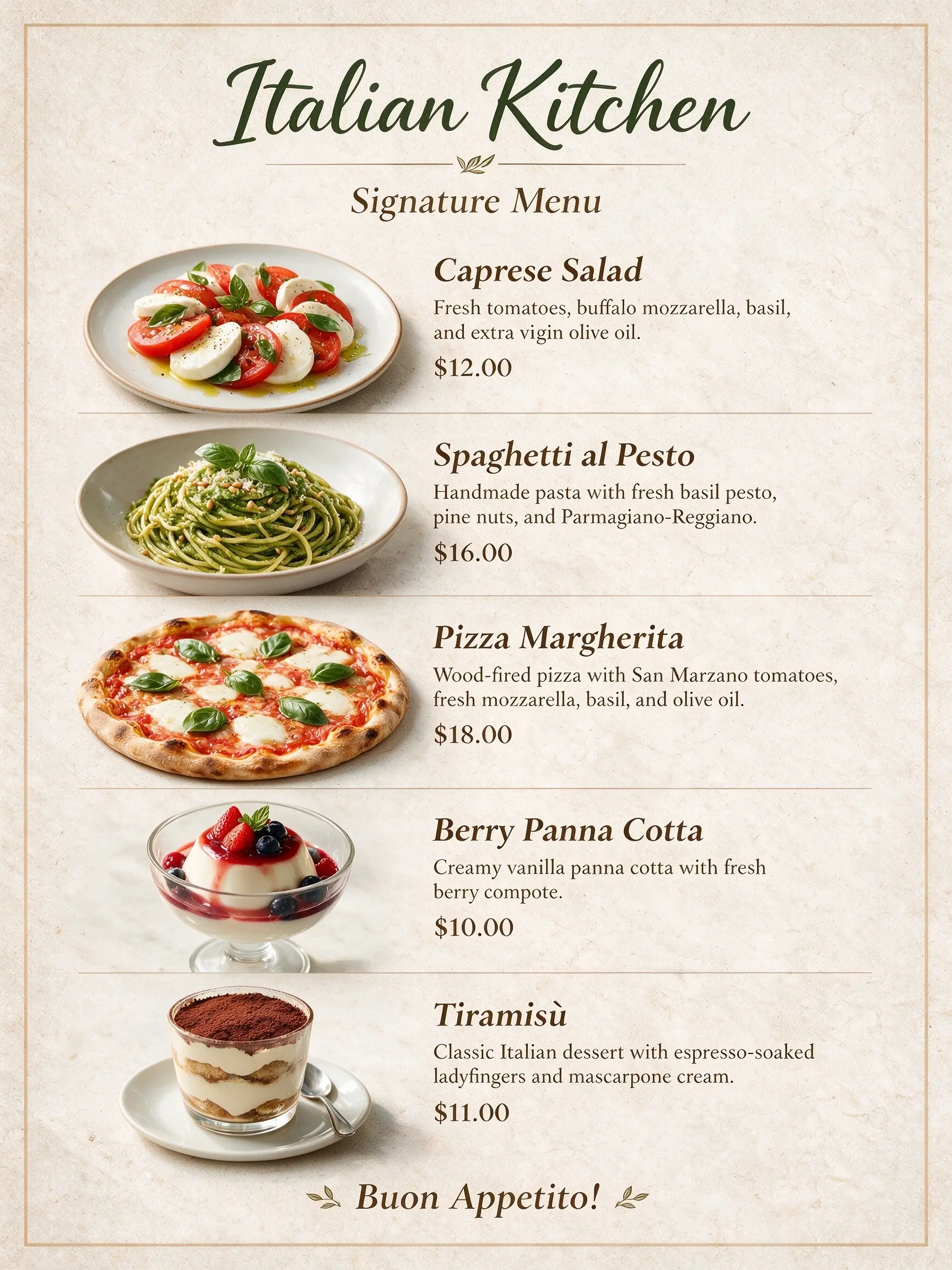
These dishes are the recommended dishes of our restaurant. Use them to create a menu. The restaurant name is “Italian Kitchen.”
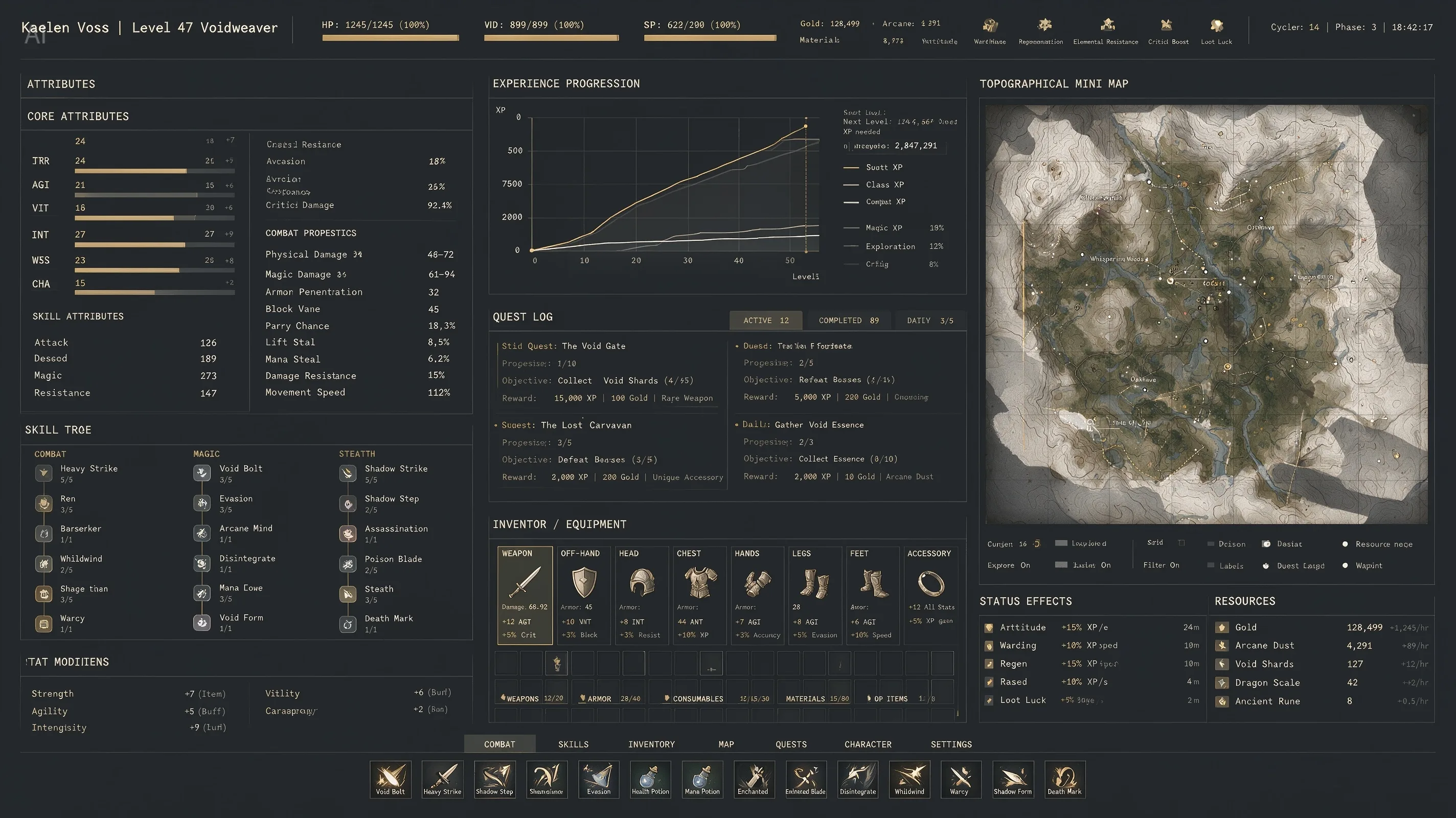
An extremely complex, highly information-dense RPG character interface. The image includes dense columns of character stats, complex line graphs for experience progression, and a massive topographical mini-map. Aesthetic style: high-end industrial functionalism. Deep matte slate-gray background. Crisp white monospaced fonts. Restrained color palette, using muted gold, with 1px grid lines separating all data. Extremely rich in detail.
16:9, a pet e-commerce homepage hero banner UI design with warm sunset tones. It features a top navigation header. On the left: a cream-beige background with marketing copy, a product card, and a golden-yellow capsule button. On the right: an image of a Golden Retriever with a 3D effect, where its front paw breaks out of the right frame and rests on the button.
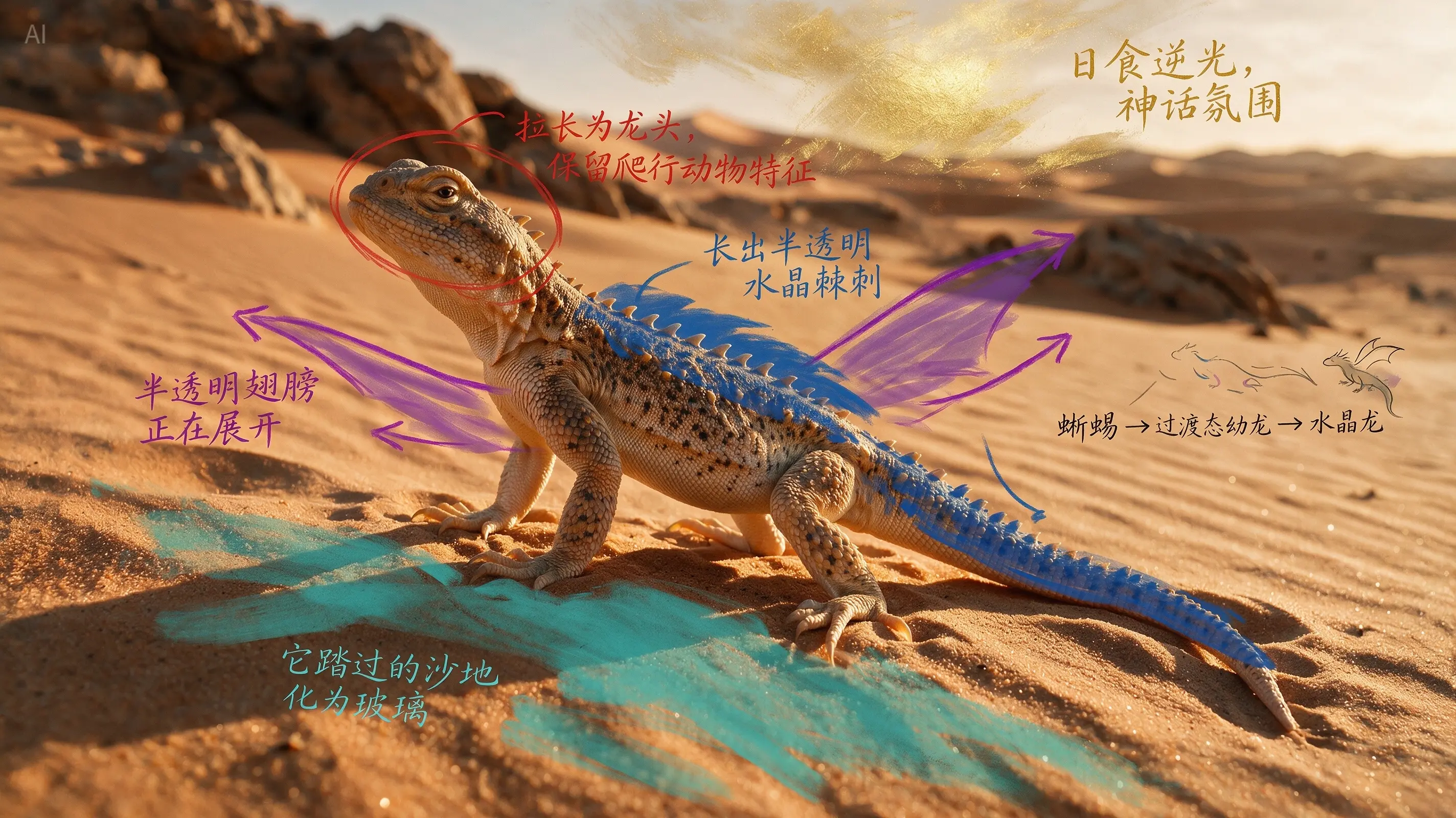
According to the annotations, evolve the real desert lizard into a crystal dragon while preserving the biological plausibility of its structure, output a cinematic image that seamlessly blends real photography with a fantasy creature.
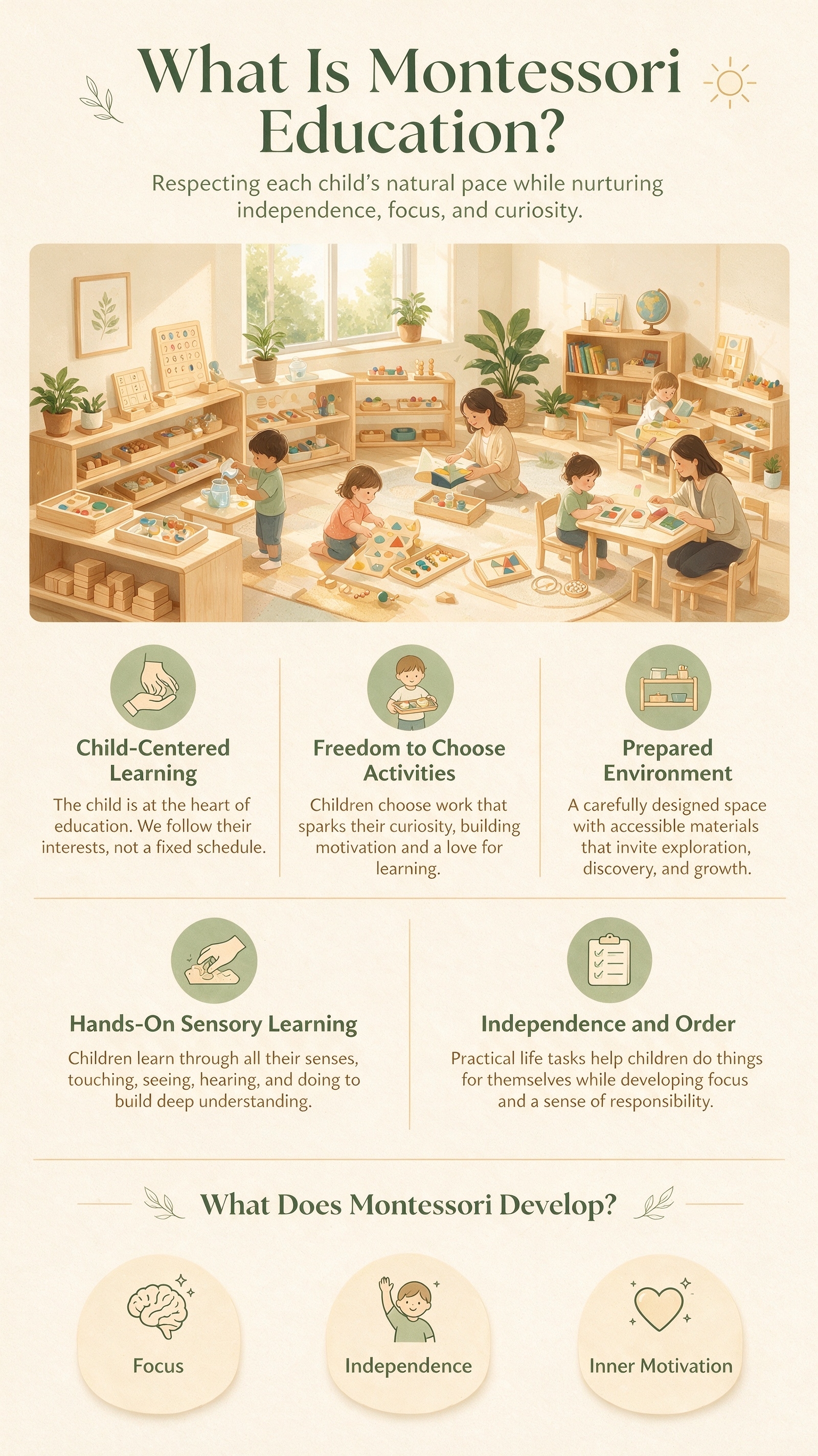
Vertical 9:16 educational infographic poster, topic: “What Is Montessori Education?”, designed for parents, warm, friendly, professional, and easy to understand. Soft color palette: warm ivory, light wood, sage green, and creamy yellow; clean white space, modern minimalist layout.
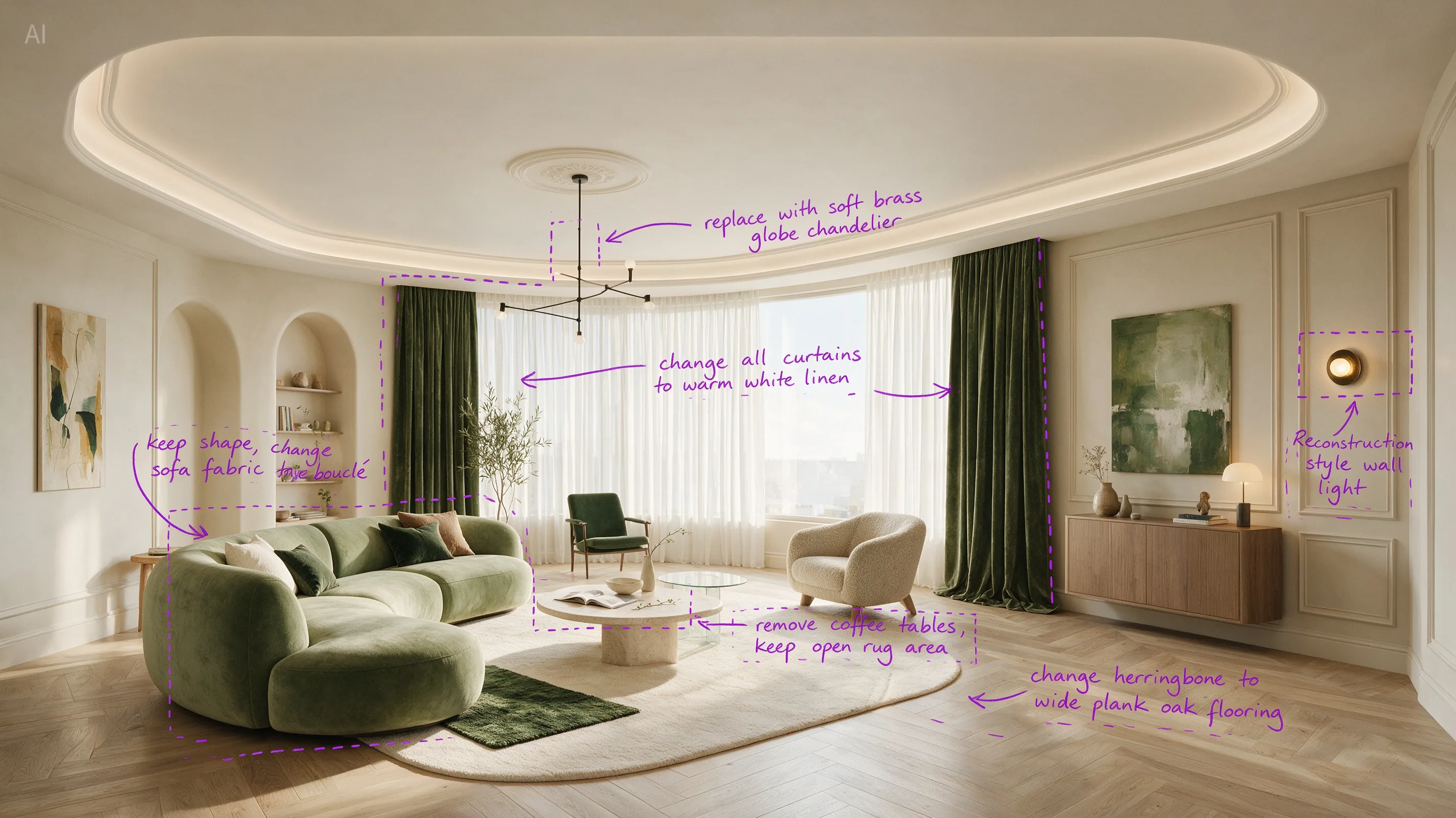
Perform precise edits based on the 6 purple boxes and handwritten English annotations in the original image. The goal is to make the living room warmer, lighter, and more realistic.
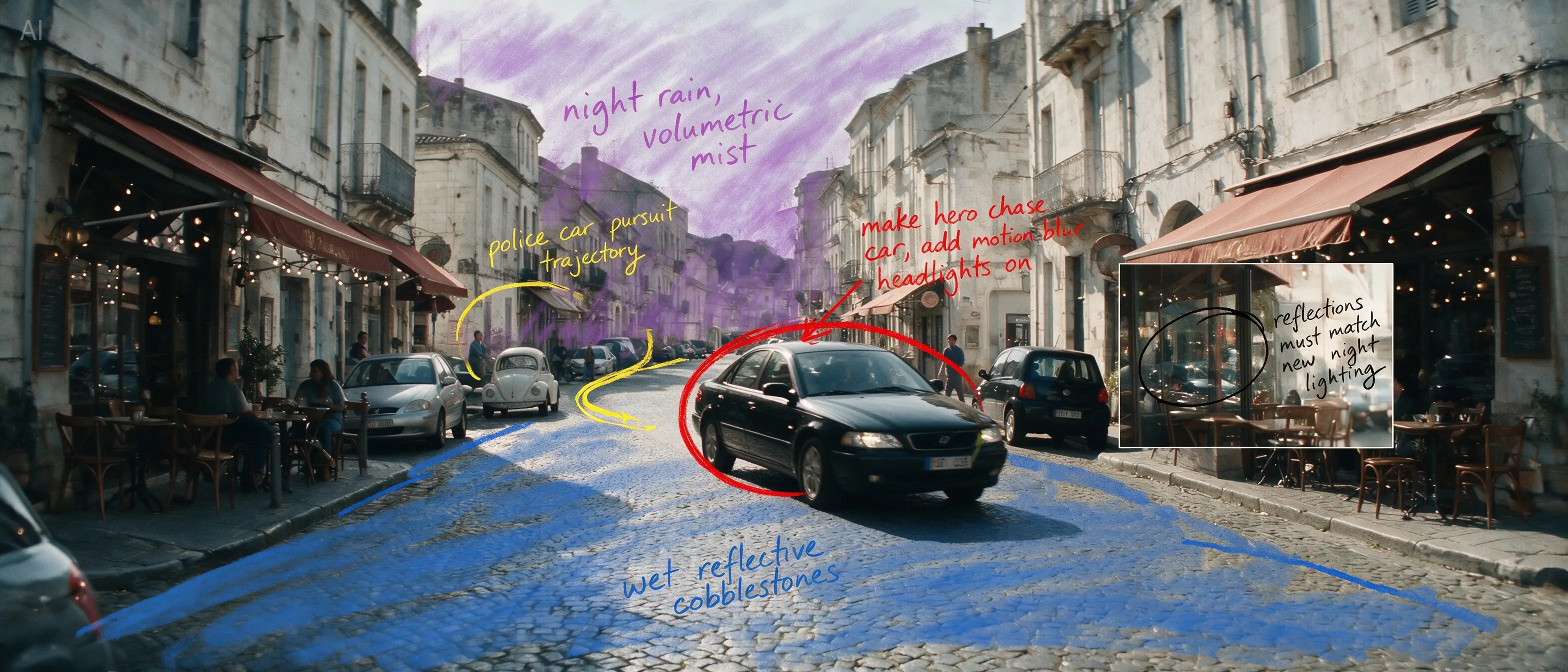
Based on all the annotations in the image, reconstruct the daytime European street into a cinematic rainy-night car chase scene. Turn the black sedan circled in red into the main high-speed chase vehicle, and output a clean cinematic widescreen still, ultra-realistic, strongly narrative, with consistent complex lighting.
Pourquoi Seedream 5.0 Pro est différent
Seedream 5.0 Pro est pensé pour l'itération de design, pas seulement pour une première ébauche. Utilisez-le pour créer des infographies structurées, faire de la retouche locale sur une zone précise sans toucher au reste de l'image, séparer un design en calques modifiables, et combiner plusieurs images de référence en une seule composition.
Ce que vous pouvez faire avec Seedream 5.0 Pro
Infographies et visualisation de données
Pour : marketeurs, formateurs, équipes contenu et réseaux sociaux
Transformez un tas de statistiques, un processus ou une comparaison en un seul visuel clair et lisible — sans ouvrir d'outil de design.
Exemple de prompt
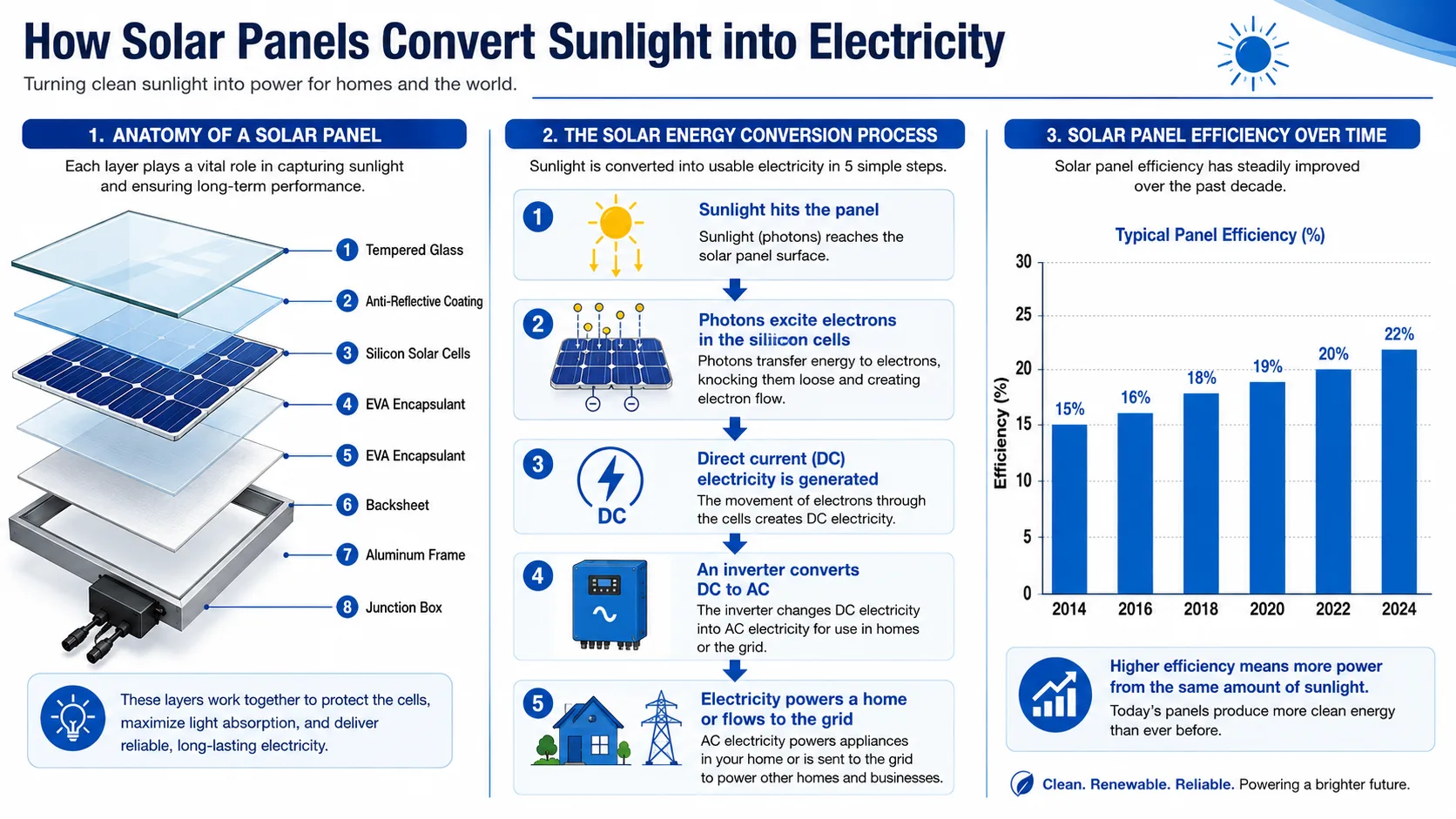
“A vertical infographic explaining how solar panels convert sunlight into electricity. Include a labeled diagram of the panel layers, a step-by-step process arrow chart, and a small bar chart comparing panel efficiency over the last decade. Clean, professional, blue-and-white color scheme, sans-serif fonts throughout.”
Édition précise et ciblée
Pour : vendeurs e-commerce, équipes créa publicitaire, designers de marque
Changez un seul élément — une couleur, une étiquette, un détail d'arrière-plan — sans régénérer toute l'image. Indiquez la zone, décrivez le changement, et le reste de l'image reste intact.
Exemple de prompt
“Using the uploaded perfume photo, change only the bottle cap color from silver to matte black. Keep the lighting, reflections, and background exactly as they are.”
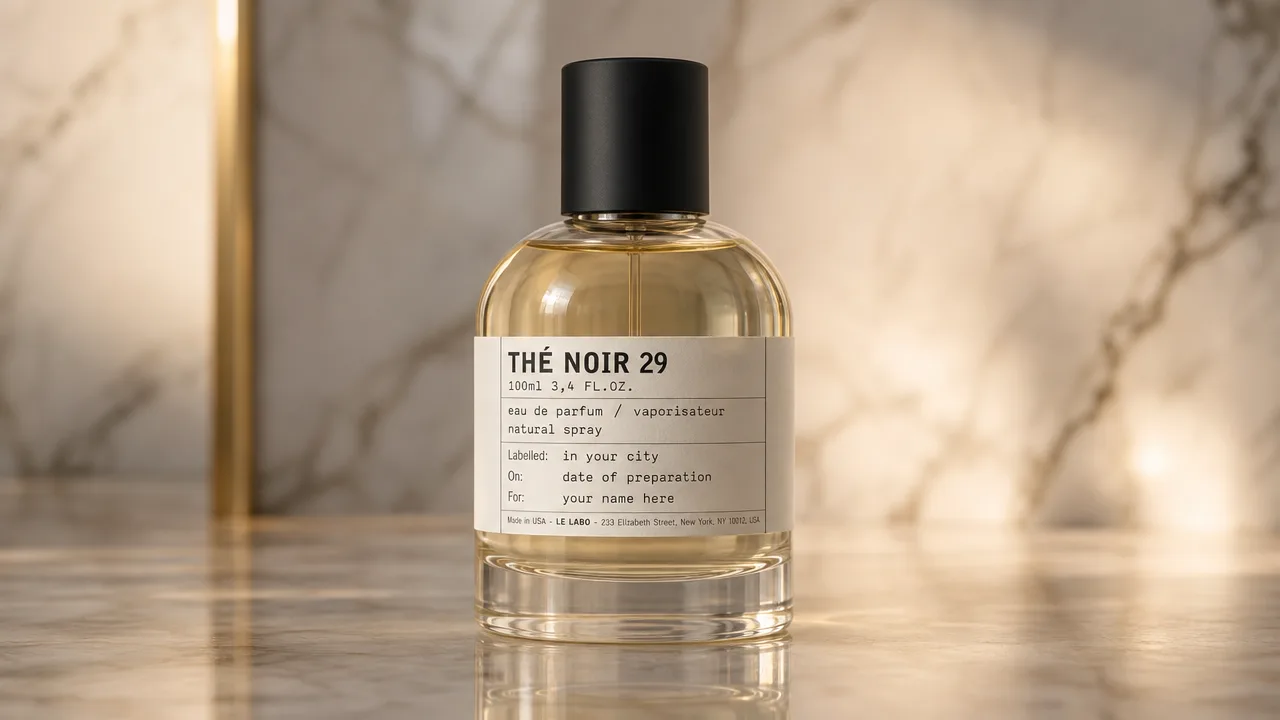
Assets de design en calques modifiables
Pour : designers, agences, équipes créatives internes
Récupérez une affiche ou un visuel terminé sous forme de calques séparés — arrière-plan, sujet, texte — pour repositionner, redimensionner ou remplacer des éléments sans tout reprendre dans un autre outil.
Exemple de prompt
“Separate this poster into individual layers: background, main subject, and text elements. Keep each layer's transparency intact so they can be repositioned independently.”
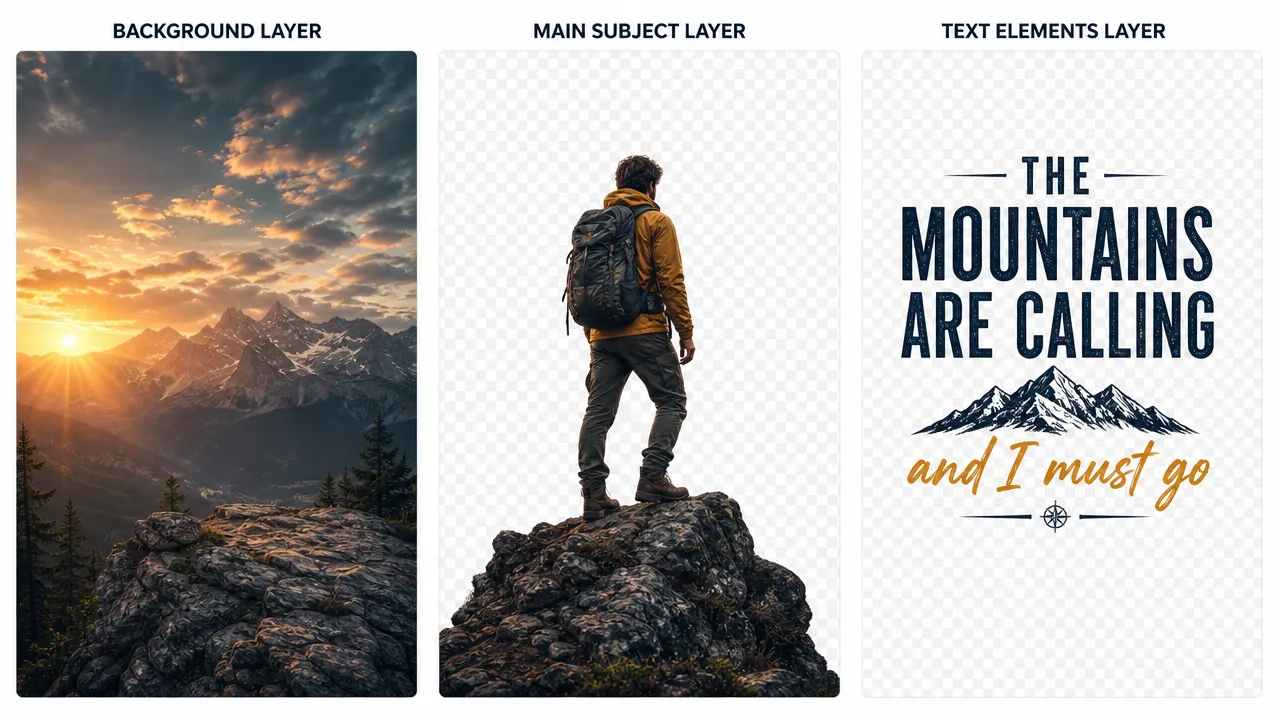
Composition multi-références
Pour : équipes créatives, moodboards, travail de concept en phase initiale
Combinez des éléments issus de plusieurs images de référence en une seule scène cohérente — une tenue d'une photo, une pose d'une autre, un arrière-plan d'une troisième.
Exemple de prompt
“Combine the outfit from reference image 1 with the pose from reference image 2, placed against the studio background from reference image 3. Blend lighting and shadows so the composite looks like a single photograph.”
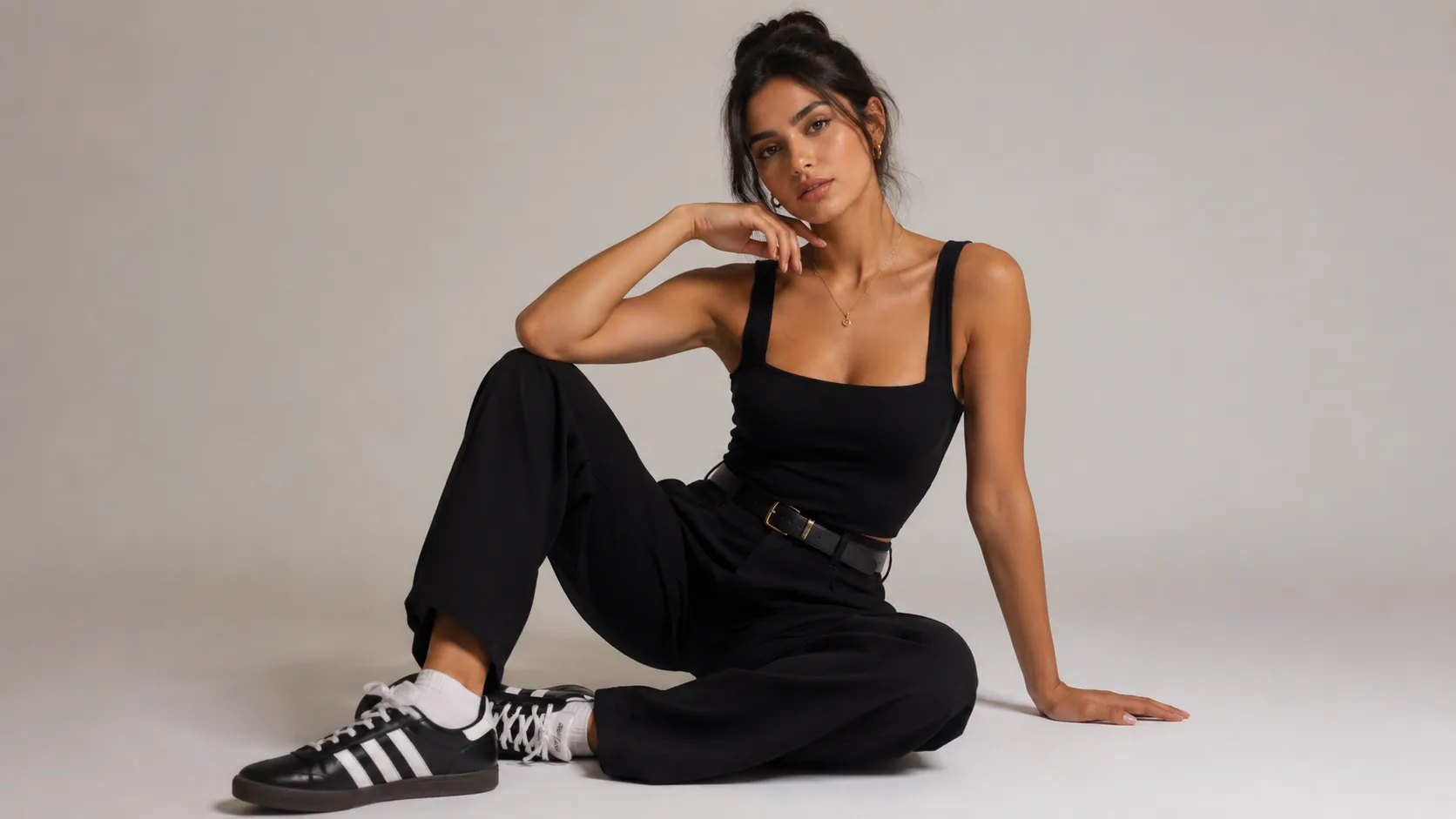
Images fixes propres pour la vidéo
Pour : créateurs de contenu construisant des workflows image-vers-vidéo
Générez d'abord une image fixe stable et bien composée, puis animez-la — une bonne image de départ donne une meilleure vidéo.
Exemple de prompt
“A cinematic close-up of a coffee cup on a wooden table, steam rising, warm morning light through a window. Stable, centered composition suitable for animating with a video generator.”

Capacités de Seedream 5.0 Pro
| Capacité | Ce que ça fait |
|---|---|
| Génération d'infographies | Transforme des données, du texte et des concepts en mises en page visuelles structurées, en une seule passe |
| Retouche locale | Édite une zone précise sélectionnée tout en préservant le reste de l'image |
| Séparation en calques | Décompose une image générée en calques indépendants et modifiables |
| Fusion multi-références | Combine des éléments issus de plusieurs images de référence en une seule composition |
| Rendu de texte multilingue | Génère et édite du texte sur l'image en plusieurs langues tout en préservant la mise en page |
Comment utiliser Seedream 5.0 Pro
Décrivez ce dont vous avez besoin
Rédigez un prompt pour une nouvelle image, ou importez une image existante et décrivez la retouche ou la mise en page souhaitée.
Affinez avec des instructions complémentaires
Indiquez une zone précise et décrivez un changement, ou demandez à séparer l'image en calques — pas besoin de tout recommencer.
Générez et téléchargez
Exportez votre image ou vos calques en HD, sans filigrane avec les crédits gratuits, prêts à l'emploi.
Limites et conseils
Seedream 5.0 Pro excelle en mise en page, en édition et en infographies, mais comme tout modèle d'image IA, il n'est pas parfait. Une petite passe d'affinage suffit généralement à combler l'écart.
Peut nécessiter un ajustement
- Blocs de texte très denses
- Détails fins de type interface
- Cohérence d'un même personnage sur plusieurs générations
Pour de meilleurs résultats
- Gardez le texte sur l'image concis
- Donnez des instructions de mise en page claires
- Utilisez la retouche locale pour corriger des zones précises plutôt que de tout régénérer